
Key facts
- Brand
- Kodak
- Model
- Z710
- Category
- Digital cameras
- Documents
- 2
- Languages
- EN · ZH
- Last added
- 2023-10-17
Start here
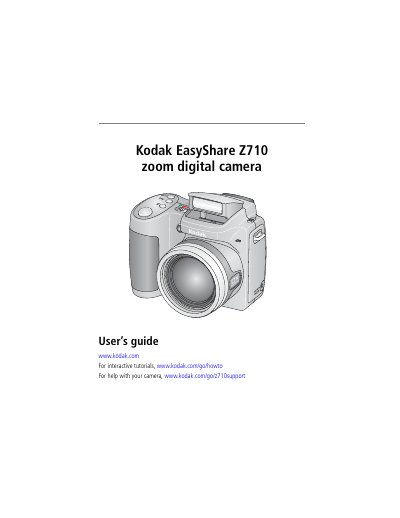
Kodak EasyShare Z710 Digital Camera User's Guide
User Manual 74 pages · 4.6 MB · EN
This manual provides instructions for setting up the Kodak EasyShare Z710 digital camera, including installing software, loading batteries, and configuring settings. It details how to take pictures and videos using various modes and zoom functions, as well as how to review, delete, and manage media files on the camera or SD/MMC card.
Read onlineKodak Z710 specifications
| CCD Sensor | 1/2.5 in. CCD, 4:3 aspect ratio |
|---|---|
| Max Picture Size | 7.1 MP: 3072 x 2304 pixels |
| LCD Display | 2.0 in. (5 cm) color hybrid LCD |
| Optical Zoom | 10X optical zoom, aspheric all-glass lens |
| Lens Aperture | f/2.8–3.7 (35 mm equivalent: 38–380 mm) |
| Digital Zoom | Combined zoom settings up to 50X |
| Focus System | TTL-AF; multi-zone, center-zone |
All Kodak Z710 documents by type
User Manual 2
Day-to-day operation, settings and troubleshooting. Start here if the product is already set up.
Questions answered in these manuals
What type of batteries does the Kodak Z710 use?
The camera uses CRV3 lithium (non-rechargeable) or Ni-MH 2 AA lithium or Ni-MH rechargeable batteries.
Can I use SD or MMC cards with this camera?
Yes, you can purchase SD or MMC cards to store more pictures and videos, though the camera has internal memory.
How do I install the EasyShare software?
Install the software first, then return to this Getting Started guide.