
Key facts
- Brand
- Kodak
- Model
- ADVANTIX T70
- Documents
- 2
- Languages
- EN
- Last added
- 2012-03-15
Start here
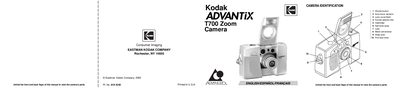
Kodak ADVANTIX T700 Zoom Camera User Manual
This manual guides users through the basic setup of the Kodak ADVANTIX T700 Zoom Camera, including loading the battery, selecting language, and loading film. It also explains the camera’s features such as the flip flash, triple‑format selection, and mid‑roll change (MRC).
Detailed sections cover using the zoom lens, taking flash pictures, selecting flash and special‑option modes, and caring for the camera. A troubleshooting chapter and specifications are included at the end of the 114‑page document.
All Kodak ADVANTIX T70 documents by type
Day-to-day operation, settings and troubleshooting. Start here if the product is already set up.
Questions answered in these manuals
What does the flip flash do?
The flip flash provides extra red‑eye reduction and extends the flash to prevent hand obstruction in front of the flash.
What is the Mid‑roll change (MRC) feature?
MRC lets you remove the film cassette in the middle of a roll, change film speeds, or swap rolls for different subjects, then reload and continue shooting.
What does Double Exposure Protection do?
It prevents accidental re‑exposure of the film by reading the Film Status Indicator on the film cassette.
How can I reduce camera interference with TV reception?
Reorient or relocate the receiving antenna, increase the separation between the camera and the receiver, or consult a technician.