
Key facts
- Brand
- Kodak
- Model
- DX4530
- Category
- Digital cameras
- Documents
- 2
- Languages
- EN · ZH
- Last added
- 2023-10-17
Start here
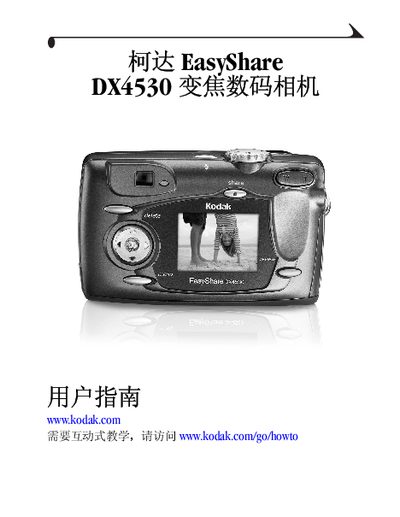
Kodak EasyShare DX4530 Digital Camera User Manual
This guide covers everything you need to know about the Kodak EasyShare DX4530 digital camera, from unboxing and installing software to capturing photos and videos. It includes detailed instructions for using the camera's various shooting modes, customizing settings, and connecting to a computer.
The manual also provides information on optional accessories such as the camera base II, battery charging, and troubleshooting common issues. Refer to the appendix for full specifications and regulatory details. This manual is written in Chinese.
Kodak DX4530 specifications
| Camera screen | Transmissive reflective LCD with anti-glare coating; 1.8 in. (45.7 mm); color; 72,000 pixels |
|---|---|
| Preview rate | 20.4 fps |
| File format | Still JPEG/EXIF v2.2 |
| Dimensions | Width 4.3 in. (110.5 mm), Depth 1.5 in. (39.0 mm), Height 2.6 in. (66.0 mm) |
| Weight | 7.4 oz (210 g) with battery and card |
| Exposure control | Multi-pattern TTL-AE with program modes (Standard, Sport, Night, Long Time Exposure, Exposure Compensation) |
| Flash Modes | Auto, Fill, Red-eye, Off |
| Charging Time | < 7 seconds with charged battery |
Source: Kodak EasyShare DX4530 zoom digital camera User’s Guide
All Kodak DX4530 documents by type
Day-to-day operation, settings and troubleshooting. Start here if the product is already set up.
Questions answered in these manuals
How do I turn on the camera?
Turn the camera on by pressing the shutter button or the power switch.
From: Kodak EasyShare DX4530 zoom digital camera User’s Guide
What is the camera’s screen resolution?
The camera screen is 1.8 inches (45.7 mm) with 72,000 pixels.
From: Kodak EasyShare DX4530 zoom digital camera User’s Guide
How do I charge the rechargeable battery?
Place the rechargeable battery in the charger or attach it to the camera base II to charge it.