
Key facts
- Brand
- Kodak
- Model
- V1003
- Category
- Digital cameras
- Documents
- 2
- Languages
- EN · ZH
- Last added
- 2012-05-04
Start here
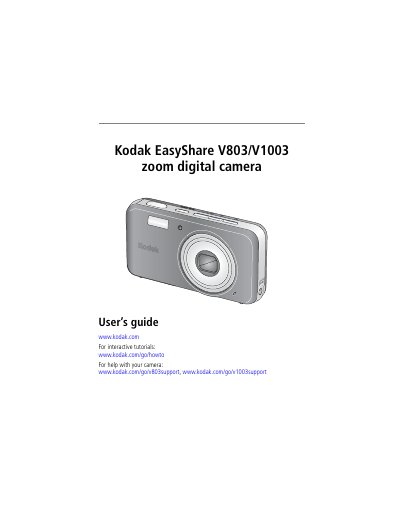
Kodak EasyShare V803/V1003 Digital Camera User Manual
This manual walks you through setting up the camera, including attaching the strap, loading and charging the KLIC‑7003 battery, inserting an SD or MMC card, and turning the camera on. It explains basic functions such as selecting picture modes, using the optical zoom, flash, self‑timer, and reviewing or deleting images and videos.
Later sections cover advanced features like Perfect Touch image processing, panoramic shooting, video recording, and transferring files via USB or dock. The appendix lists detailed camera specifications, maintenance tips, software installation, and troubleshooting advice.
Kodak V1003 specifications
| CCD sensor size | 1/1.8 in. |
|---|---|
| Optical zoom | 3X |
| Megapixels (V803) | 8.0 MP (3264 × 2448) |
| Megapixels (V1003) | 10.0 MP (3648 × 2736) |
| LCD size | 2.5 in. (6.35 cm) color hybrid LCD, 154 K pixels |
| Frame rate | 30 fps |
| Focus system | TTL‑AF, Auto: Multi‑Zone, Center‑Zone |
Source: Kodak EasyShare V803/V1003 Digital Camera User Manual
All Kodak V1003 documents by type
Day-to-day operation, settings and troubleshooting. Start here if the product is already set up.
Questions answered in these manuals
How do I charge the battery?
Connect the included 5‑volt AC adapter and charge until all three battery‑charging lights stay lit, which takes about two hours.
How do I insert an SD or MMC card?
Insert the card in the correct orientation—only one way fits—and format it in the camera before first use.
How can I view photos and video on the camera?
Press the Review button to display photos or video; press again to exit.
How do I transfer images to a computer?
Connect the camera to the computer with the supplied USB cable and use the EasyShare software.