
Key facts
- Brand
- Kodak
- Model
- EasyShare C663
- Category
- Digital cameras
- Documents
- 2
- Languages
- EN · ZH
- Last added
- 2023-10-20
Start here
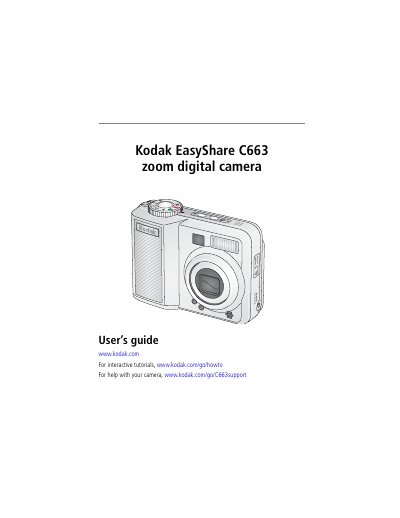
Kodak EasyShare C663 Digital Camera User's Guide
This guide helps you set up and use your Kodak EasyShare C663 digital camera. It covers installing software, attaching accessories, loading batteries, and taking photos and videos. You’ll also learn how to transfer and print pictures, customize settings, and troubleshoot common issues.
The camera features a 3x optical zoom lens, 6MP image sensor, 2.5-inch LCD screen, and Kodak Perfect Touch technology for easy photo editing. It supports SD and MMC cards, USB and A/V output, and can be docked for charging or transferring media.
Kodak EasyShare C663 specifications
| Sensor | 1/2.5 in. CCD, 4:3 aspect ratio |
|---|---|
| Image Size | 6 MP: 2832 x 2128 pixels |
| Lens | 3X optical zoom, aspheric all-glass Schneider-Kreuznach Variogon lens, f/2.7-4.6 |
| LCD Screen | 2.5 in. (5.6 cm) color hybrid LCD; 115 K pixels |
| Focus System | TTL-AF; auto, center-zone. Working range: 24 in. (0.6 m)-infinity @ wide |
All Kodak EasyShare C663 documents by type
Day-to-day operation, settings and troubleshooting. Start here if the product is already set up.
Questions answered in these manuals
How do I install the software for my camera?
Install the software before connecting any cables. See page 13 for details.
What is Kodak Perfect Touch technology?
It allows you to easily crop, tag, and share your photos directly from the camera.
What is the optical zoom range of the camera?
The camera provides a 3× optical zoom using a Schneider‑Kreuznach Variogon lens with a focal length equivalent to 34‑102 mm.
How do I update the camera’s firmware?
Install the latest software from Kodak’s website, then follow the on‑screen instructions to upgrade the firmware.