
Key facts
- Brand
- DELL
- Model
- WLD15
- Category
- Other Computer Accessories
- Documents
- 15
- Languages
- EN · ZH
- Last added
- 2023-11-24
Start here
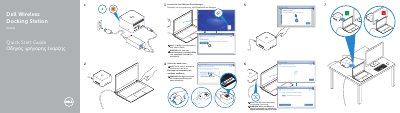
Dell Wireless Docking Station WLD15 Quick Start Guide
This guide helps you connect your device to the Dell WLD15 docking station. It includes steps for launching the Intel Wireless Dock Manager and selecting the dock name. The LED turns white when successfully connected.
The dock features multiple connectors including USB 3.0, display, audio, and power. It also includes a pairing button and security cable slot for safe use.
Dell WLD15 specifications
| Regulatory model | WLD15 |
|---|---|
| USB 3.0 connector | Included |
| Power-status light | Turns white when connected |
| Pairing/Connect/Disconnect Button | Included |
Source: Dell WLD15 Wireless Docking Station Quick Start Guide
All Dell WLD15 documents by type
The shortest path to a working setup, usually only a few pages.
- Dell Wireless Docking Station WLD15 Quick Start Guide 2 p
- Dell WLD15 Wireless Docking Station Quick Start Guide 2 p
- Dell WLD15 Wireless Docking Station Quick Start Guide 2 p
- Dell WLD15 Wireless Docking Station Quick Start Guide 2 p
- Dell WLD15 Wireless Docking Station Quick Start Guide 2 p
- Dell WLD15 Wireless Docking Station Quick Start Guide 2 p
- Dell WLD15 Wireless Docking Station Quick Start Guide 2 p
- Dell WLD15 Wireless Docking Station Quick Start Guide 2 p
- Dell WLD15 Wireless Docking Station Quick Start Guide 2 p
- Dell WLD15 Wireless Docking Station Quick Start Guide 2 p
- Dell WLD15 Wireless Docking Station Quick Start Guide 2 p
- Dell WLD15 Wireless Docking Station Quick Start Guide 2 p
- Dell WLD15 Wireless Docking Station Quick Start Guide 2 p
- Dell WLD15 Wireless Docking Station Quick Start Guide 2 p
- Dell WLD15 Wireless Docking Station Quick Start Guide 2 p
Questions answered in these manuals
What is the regulatory model of the docking station?
The regulatory model is WLD15.
Where is the dock name located?
The dock name is available at the bottom of the dock.
How do I connect to the Dell WLD15 dock?
Connect to Dell WLD15-XXXX, launch the Intel Wireless Dock Manager, and select the dock name shown at the bottom of the dock.
What does the white LED indicate?
The LED turns white when the dock is successfully connected.
Where is the dock name located?
The dock name is available at the bottom of the dock.
What indicates a successful connection?
The LED turns white when successfully connected.