
Key facts
- Brand
- DELL
- Model
- Inspiron 24 5000 Series (Inspiron 24-5459)
- Category
- All-in-One Desktops
- Documents
- 2
- Languages
- EN · PT
- Last added
- 2023-11-24
Start here
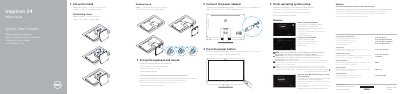
Dell Inspiron 24 5000 Series (Inspiron 24-5459) Quick Start Guide
This quick start guide helps set up a Dell Inspiron 24 5000 Series computer, including the keyboard and mouse, power adapter, stand, and initial operating system setup.
It also identifies the computer's ports and features, lists Dell applications and support resources, and provides regulatory and computer model information.
Dell Inspiron 24 5000 Series (Inspiron 24-5459) specifications
| USB 3.0 ports | 2 |
|---|---|
| USB 2.0 ports | 4 |
| HDMI-in port | 1 |
| HDMI-out port | 1 |
| Optical drive | Optional |
Source: Dell Inspiron 24 5000 Series (Inspiron 24-5459) Quick Start Guide
All Dell Inspiron 24 5000 Series (Inspiron 24-5459) documents by type
The shortest path to a working setup, usually only a few pages.
Disassembly, diagnostics and part numbers, for repair.
Questions answered in these manuals
How do I connect to a secured wireless network?
Enter the password for the wireless network access when prompted.
From: Dell Inspiron 24 5000 Series (Inspiron 24-5459) Quick Start Guide
How many USB 3.0 ports does the computer have?
The computer has 2 USB 3.0 ports.
From: Dell Inspiron 24 5000 Series (Inspiron 24-5459) Quick Start Guide
What should I do before working inside the computer?
Save and close all open files, exit applications, shut down the computer, disconnect power and cables, remove media, and discharge residual power by pressing the power button.
From: Dell Inspiron 24 5000 Series (Inspiron 24-5459) Service Manual
What safety instruction is given before opening the computer?
Disconnect all power sources before opening covers or panels, and reconnect power only after all covers, panels, and screws are in place.
From: Dell Inspiron 24 5000 Series (Inspiron 24-5459) Service Manual