
Dell Wireless Docking Station WLD15 Quick Start Guide

The Dell Wireless Docking Station WLD15 Quick Start Guide introduces the features and functions of the product.
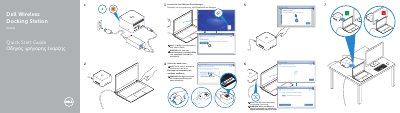

Dell Wireless Docking Station WLD15 Quick Start Guide - cover page
Brand
DELL
Category
Office Equipment
Document type
Quick Start Guide
Language
English
Pages
2
File format
PDF
File size
879 KB
Published
24 November, 2023
Updated
24 November, 2023
Model
WLD15
MD5 checksum
0D000D294BF270956300E0A7996249A5

About this manual

This guide helps you connect your device to the Dell WLD15 docking station. It includes steps for launching the Intel Wireless Dock Manager and selecting the dock name. The LED turns white when successfully connected.

The dock features multiple connectors including USB 3.0, display, audio, and power. It also includes a pairing button and security cable slot for safe use.

What's inside

  • Connecting to Dell WLD15-XXXX
  • Launching Intel Wireless Dock Manager
  • Selecting the dock name
  • Features
  • Network connector
  • Line-out connector
  • Power connector
  • Display connector
  • Keyboard / Mouse connector
  • USB 3.0 connector

Frequently asked questions

What is the regulatory model of the docking station?

The regulatory model is WLD15.

Where is the dock name located?

The dock name is available at the bottom of the dock.

What color does the LED turn when successfully connected?

The LED turns white when successfully connected.

What should I do if WiGig is already enabled?

Skip to Step 4 if WiGig is already enabled.

Download PDF (879 KB)

More DELL Manuals


View all DELL manuals →