
Key facts
Start here
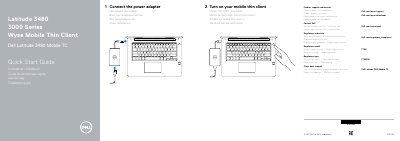
Dell Latitude 3480 Mobile Thin Client Quick Start Guide
This is Dell's multilingual quick start guide for the Latitude 3480 Mobile TC, a 3000 Series Wyse mobile thin client. The first page shows the two start-up steps: connecting the power adapter and turning on the mobile thin client, followed by links for product support, manuals, contacting Dell and regulatory and safety information.
The second page is a feature tour with numbered callouts for both the standard and the Touch version of the client, covering the camera and microphone area, power button, security-cable slot, ports, card reader, optional fingerprint reader, speakers, touchpad and the Service Tag label. The regulatory model shown is P79G (regulatory type P79G001).
Dell Latitude 3480 Mobile TC specifications
| Video output | VGA port |
|---|---|
| USB ports | USB 2.0 port and USB 3.0 port |
| Charging USB port | USB 3.0 port with PowerShare |
| Display output | HDMI port |
| Networking | Network port |
| Card reader | Memory card reader |
| Audio | Headset/microphone combo jack |
| Security | Noble Wedge security-cable slot |
| Fingerprint reader | Optional |
| Infrared emitter and camera | Touch version only |
Source: Dell Latitude 3480 Mobile Thin Client Quick Start Guide
All Dell Latitude 3480 Mobile TC documents by type
The shortest path to a working setup, usually only a few pages.
Questions answered in these manuals
How do I turn on the mobile thin client?
Connect the power adapter, then turn on the mobile thin client with the power button.
From: Dell Latitude 3480 Mobile Thin Client Quick Start Guide
Where can I find product support and manuals?
Dell points to Dell.com/wyse/support for product support and manuals and Dell.com/wyse/downloads for downloads.
From: Dell Latitude 3480 Mobile Thin Client Quick Start Guide
How do I connect the power adapter?
Connect the power adapter to the mobile thin client.
How do I turn on the mobile thin client?
Turn on your mobile thin client to start it.
What ports are available on the Dell Latitude 3480 Mobile TC?
The guide lists VGA, USB 2.0, USB 3.0, USB 3.0 with PowerShare, HDMI, network, and power adapter ports.
Does the Dell Latitude 3480 Mobile TC include a fingerprint reader?
A fingerprint reader is listed as optional.