
The Dell Wireless Docking Station WLD15 Quick Start Guide introduces the features and functions of the product.
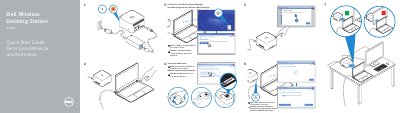
The Dell WLD15 Wireless Docking Station is a connectivity hub that allows wireless connection to a laptop. The setup process involves using the Intel Wireless Dock Manager to select the dock name found on the bottom of the device.
The device features various connectivity ports including USB 3.0, network, display, and audio connectors, as well as a dedicated pairing button and a power-status LED indicator.
| Regulatory Model | WLD15 |
|---|---|
| Model | WLD15 |
The LED indicator turns white when a connection is successfully established.
The LED turns white when successfully connected.
The dock name is available at the bottom of the dock.
A USB 3.0 connector with PowerShare is listed among the features.