
Key facts
Start here
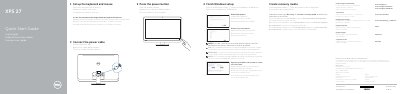
Dell XPS 27 Quick Start Guide
This guide helps you set up your Dell XPS 27 quickly. It covers connecting peripherals, powering on, installing Windows, and connecting to a network. It also includes features like camera, optical drive, and ports. For more support, visit Dell.com/support.
Read onlineDell XPS 27 specifications
| Computer model | XPS 2720 |
|---|---|
| Regulatory model | W06C |
| Regulatory type | W06C002 |
| Power supply voltage | 100 V AC to 240 V AC |
| Power supply frequency | 50 Hz to 60 Hz |
| Input current | 3.60 A |
| Country of origin | China |
Source: Dell XPS 2720 Quick Start Guide
All Dell XPS 27 documents by type
The shortest path to a working setup, usually only a few pages.
Disassembly, diagnostics and part numbers, for repair.
Day-to-day operation, settings and troubleshooting. Start here if the product is already set up.
Questions answered in these manuals
What power supply voltage and frequency does the Dell XPS 27 use?
The power supply voltage is 100 V CA–240 V CA, and the frequency is 50 Hz–60 Hz.
What input current does the Dell XPS 27 consume?
The input current consumption is 3,60 A.
What is the computer model described in this guide?
The computer model is XPS 2720.
What are the regulatory model and type?
The regulatory model is W06C and the regulatory type is W06C002.
How do I create recovery media?
In Windows search, type Recovery, click Create a recovery media, and follow the instructions on the screen.
Where can I find Dell support and manuals?
Dell support and manuals are available at Dell.com/support, Dell.com/support/manuals, and Dell.com/support/windows.