
Dell Wireless Docking Station WLD15 Quick Start Guide - Windows 10
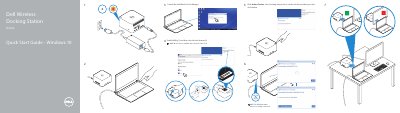
This document provides a quick start guide for the Dell WLD15 Wireless Docking Station. It explains how to launch the Intel Wireless Dock Manager via the Windows 10 Action Center and select the docking station device.
The guide details the steps to enable WiGig and connect to the dock, noting that the LED turns white upon successful connection. It also lists the physical features of the docking station, including various connectors for network, display, USB, and power, as well as a security-cable slot.
It is available at the bottom of the dock.
The LED turns white.
Yes, a USB 3.0 connector with PowerShare is listed among the features.
See the User's Guide at dell.com/support.