
Key facts
Start here
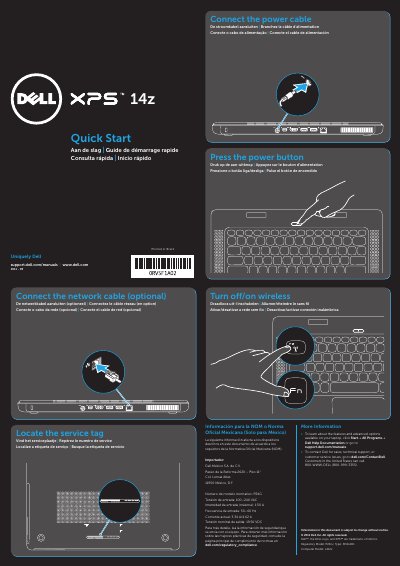
Dell 14z (L412z) Laptop Quick Start Guide
This quick start guide shows basic setup steps for the Dell 14z laptop, including locating the service tag, turning wireless on or off, connecting power and network cables, and pressing the power button.
It also identifies the laptop's ports and features, such as USB, HDMI, Mini DisplayPort, audio, media card reader, touchpad, backlit keyboard, and optical drive, and provides regulatory and contact information.
Dell 14z (L412z) specifications
| Regulatory model | P24G |
|---|---|
| Computer model | L412z |
| Input voltage | 100-240 VAC |
| Input current (maximum) | 1.50 A |
| Input frequency | 50-60 Hz |
| Output voltage | 19.50 VDC |
All Dell 14z (L412z) documents by type
The shortest path to a working setup, usually only a few pages.
Questions answered in these manuals
Where can I find more information about the laptop's features?
Click Start, then All Programs, then Dell Help Documentation, or go to support.dell.com/manuals.
How do I contact Dell?
Go to dell.com/ContactDell; customers in the United States can call 800-WWW-DELL (800-999-3355).
Where can I find more information about features and advanced options?
Click Start→ All Programs→ Dell Help Documentation or go to support.dell.com/manuals.
How do I contact Dell for sales or technical support?
Go to dell.com/ContactDell. Customers in the United States can call 800-WWW-DELL (800-999-3355).