
Key facts
Start here
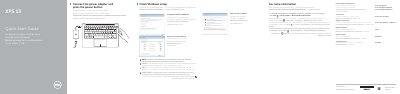
Dell XPS 9350 Computer Quick Start Guide
Quick Start Guide 2 pages · 257 KB · EN
This Dell Quick Start Guide explains how to finish Windows setup on the XPS 9350 computer, including connecting the power adapter, setting a Windows password, and connecting to a network.
It lists the computer's features and shortcut keys, and points users to Dell Help Documentation and Dell.com/support for additional information.
All Dell XPS 9350 documents by type
Quick Start Guide 2
The shortest path to a working setup, usually only a few pages.
Questions answered in these manuals
How do I finish Windows setup on the Dell XPS 9350?
Connect the power adapter and press the power button.
What should I do when connecting to a secured wireless network?
Enter the password for the wireless network access when prompted.
How do I connect to a secured wireless network?
Enter the password for the wireless network access when prompted.
Where can I find advanced options and features for my computer?
Click Start → All Programs → Dell Help Documentation.