
Key facts
Start here
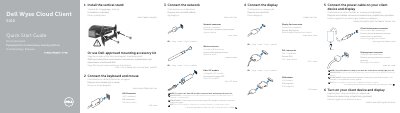
Dell Wyse Cloud Client 5010 Quick Start Guide
This document serves as a multilingual Quick Start Guide for the Dell Wyse Cloud Client 5010. It provides step-by-step instructions for setting up the device, including connecting the keyboard and mouse, attaching the display via Display Port or DVI-I, installing the vertical stand, and connecting the power and network cables. The guide includes specific notes on removing the Fibre SFP module if applicable.
Read onlineDell Wyse Cloud Client 5010 specifications
| Power adapter input | +19V |
|---|---|
| Network port speed | 10/100/1000 Base-T or SFP |
| USB ports | USB 2.0 port (2x) |
| Display connectors | Display Port connector or DVI-I connector |
All Dell Wyse Cloud Client 5010 documents by type
The shortest path to a working setup, usually only a few pages.
Questions answered in these manuals
When is the client device ready to use?
The client device is ready to use when the client device activity light goes off.
How do you remove the Fibre SFP module?
To remove the Fibre SFP module, rotate the latch and unplug it from its slot.
When is the client device ready to use?
It is ready when the client device activity light goes off.
How do I remove the Fibre SFP module?
Rotate the latch and unplug it from its slot.
When is the client device ready to use?
The client device is ready to use when the client device activity light goes off.
How do you remove the Fiber SFP module?
To remove the module, rotate the latch and unplug it from its slot.