
Dell WLD15 Wireless Docking Station Quick Start Guide

The Dell Wireless Docking Station WLD15 Quick Start Guide introduces the features and functions of the product.
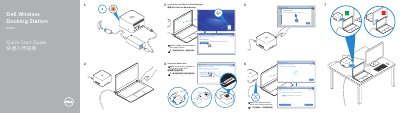

Dell WLD15 Wireless Docking Station Quick Start Guide - cover page
Brand
DELL
Category
Other Computer Accessories
Document type
Quick Start Guide
Language
Chinese
Pages
2
File format
PDF
File size
882 KB
Published
22 November, 2023
Updated
22 November, 2023
Model
WLD15
MD5 checksum
410F831ACB4C336C56593B979741699B

About this manual

This quick start guide explains how to connect to the Dell WLD15 wireless docking station and lists its connectors and controls. It notes that the LED turns white when connected successfully and that WiGig-enabled setups can skip to Step 4. This manual is written in Chinese.

What's inside

  • Connecting to Dell WLD15
  • Successfully Connected to Dell WLD15
  • Launch the Intel Wireless Dock Manager
  • Select the dock name
  • Features

Frequently asked questions

What does the LED do when the dock is connected successfully?

The LED turns white when successfully connected.

What should I do if WiGig is already enabled?

Skip to Step 4.

Where can I find the dock name?

The dock name is available at the bottom of the dock.

Download PDF (882 KB)

More DELL Manuals


View all DELL manuals →