
Key facts
Start here
Dell Vostro 14-5459 Quick Start Guide
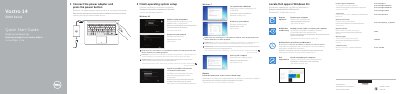
This guide helps you set up your Dell Vostro 14-5459 laptop. Connect the power adapter and press the power button to start. Follow on-screen instructions to complete Windows setup, connect to your network, and enable security updates. The guide also covers features like USB 3.0, HDMI, fingerprint reader, and touchpad.
Read onlineDell Vostro 14-5459 specifications
| Computer model | Vostro 14-5459 |
|---|---|
| Fingerprint reader | Optional |
| USB 3.0 connector with PowerShare | Available |
All Dell Vostro 14-5459 documents by type
The shortest path to a working setup, usually only a few pages.
Disassembly, diagnostics and part numbers, for repair.
Questions answered in these manuals
How do I connect to my network?
Connect to your network by entering the password for the wireless network access when prompted.
How do you turn on the computer?
Connect the power adapter and press the power button.
How do I create recovery media for Windows?
In Windows search, type Recovery, click Create a recovery media, and follow the instructions on the screen.
What should I do when connecting to a secured wireless network?
Enter the password for the wireless network access when prompted.
What safety steps must be taken before working inside the computer?
Disconnect all power sources and ground yourself to avoid electrostatic discharge.
What are the supported memory configurations?
The system supports 4 GB and 8 GB configurations.