
Key facts
Start here
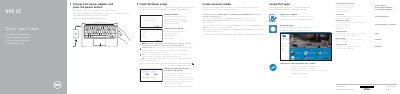
Dell XPS 9343 Quick Start Guide
This document serves as a Quick Start Guide for the Dell XPS 9343 laptop. It provides multilingual instructions for initial setup steps, such as connecting the power adapter, finishing the Windows setup, and registering the computer. The guide also directs users to Dell's support website for further assistance.
Read onlineDell XPS 9343 specifications
| Camera | 1 |
|---|---|
| Power-adapter port | 1 |
| Mini DisplayPort | 1 |
| USB 3.0 port | 1 |
| Headset port | 1 |
| Battery-charge status lights | 5 |
| Media-card reader | 1 |
| USB 3.0 port with PowerShare | 1 |
| Security-cable slot | 1 |
| Power button | 1 |
All Dell XPS 9343 documents by type
The shortest path to a working setup, usually only a few pages.
Disassembly, diagnostics and part numbers, for repair.
Questions answered in these manuals
How do I start the computer?
Connect the power adapter and press the power button.
What should I do when connecting to a secured wireless network?
Enter the password for wireless network access when prompted.
Where can I find more specifications for this computer?
See Specifications at dell.com/support.
How do I create recovery media?
In Windows search, type Recovery, click Create a recovery media, and follow the instructions on the screen.
What tools are required for disassembly?
The procedures may require a Philips screwdriver, flat-head screwdriver, Torx #5 (T5) screwdriver, and a plastic scribe.