
Key facts
Start here
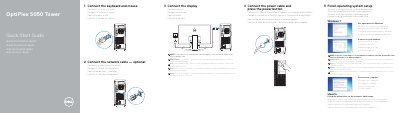
Dell OptiPlex 5050 Tower Quick Start Guide
This guide helps you set up your Dell OptiPlex 5050 Tower computer. Connect peripherals like keyboard, mouse, and display, then plug in the power cable and turn it on. Follow on-screen prompts to complete operating system setup. The tower includes ports for HDMI, DisplayPort, USB, and network connectivity, as well as optional features like an optical drive and memory card reader.
Read onlineAll Dell OptiPlex 5050 Tower documents by type
The shortest path to a working setup, usually only a few pages.
Day-to-day operation, settings and troubleshooting. Start here if the product is already set up.
Questions answered in these manuals
What is the model of the computer?
OptiPlex 5050 Tower.
What should you do if connecting to a secured wireless network?
Enter the password for the wireless network access when prompted.
Where should I connect the display if the computer has a discrete graphics card?
Connect the display to the discrete graphics card.
What should I do when connecting to a secured wireless network?
Enter the password for the wireless network access when prompted.
What safety precautions are required before opening the computer?
Disconnect all power sources and ensure the work surface is flat and clean to avoid scratching the cover.
How do you ground yourself to prevent static discharge?
Touch ground using an anti-static wrist strap or touch an unpainted metal surface while touching a rear connector.