
The Dell Wireless Docking Station WLD15 Quick Start Guide introduces the features and benefits of the product.
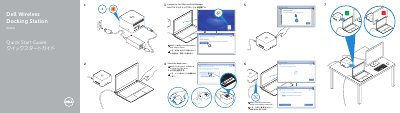
This document is a Quick Start Guide for the Dell WLD15 Wireless Docking Station. It provides step-by-step instructions for connecting the device to a computer, verifying the connection status via the LED indicator, and launching the Intel Wireless Dock Manager software. The guide includes specific notes regarding the location of the dock name and the behavior of the LED when connected successfully.
| Regulatory Model | WLD15 |
|---|
The dock name is available at the bottom of the dock.
The LED turns white when the device is successfully connected.
You can skip to Step 4 if WiGig is already enabled.