
The Dell Wireless Docking Station WLD15 Quick Start Guide introduces the features and benefits of the Dell Wireless Docking Station WLD15.
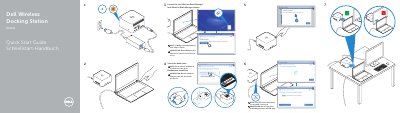
This quick start guide covers connecting to the Dell WLD15 wireless docking station, launching the Intel Wireless Dock Manager, selecting the dock name, and interpreting the connection LED.
It also identifies the dock connectors and notes that additional information is available in the User's Guide at dell.com/support.
The dock name is available at the bottom of the dock.
The LED turns white when successfully connected.
Skip to Step 4.
See the User's Guide at dell.com/support.