
Key facts
Start here
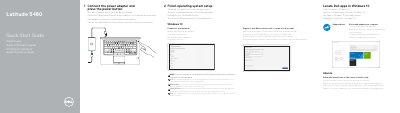
Dell Latitude 5480 Quick Start Guide
The Dell Latitude 5480 Quick Start Guide describes the initial setup steps for the computer, including connecting the power adapter, pressing the power button, and completing operating system setup for Windows 10 or Ubuntu. It also lists the locations of ports, buttons, indicators, readers, and optional features on the computer.
The guide points to Dell support resources for product support, manuals, Windows help, contact information, and regulatory and safety information. The regulatory model is P72G, the regulatory type is P72G001, and the computer model is Latitude 14-5480.
Dell Latitude 5480 specifications
| Computer model | Latitude 14-5480 |
|---|---|
| Regulatory model | P72G |
| Regulatory type | P72G001 |
| USB port type | USB 3.0 |
| Display output | DisplayPort over USB Type-C/ optional Thunderbolt™ 3 |
| Card reader | SD card reader |
| Printed in | China |
All Dell Latitude 5480 documents by type
Day-to-day operation, settings and troubleshooting. Start here if the product is already set up.
The shortest path to a working setup, usually only a few pages.
Questions answered in these manuals
How do you turn on the computer?
Connect the power adapter and press the power button.
What is the first software setup step after turning on the computer?
Finish Windows 7 setup.
How do I start the Dell Latitude 5480?
Connect the power adapter and press the power button.
Which operating systems are covered in the setup instructions?
The guide covers Windows 10 and Ubuntu setup.