
Dell WLD15 Wireless Docking Station Quick Start Guide

The Dell Wireless Docking Station WLD15 Quick Start Guide introduces the features and functions of the product.
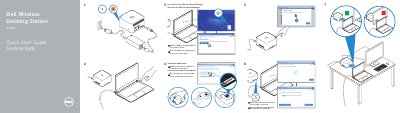

Dell WLD15 Wireless Docking Station Quick Start Guide - cover page
Brand
DELL
Category
Other Computer Accessories
Document type
Quick Start Guide
Language
English
Pages
2
File format
PDF
File size
814 KB
Published
24 November, 2023
Updated
24 November, 2023
Model
WLD15
MD5 checksum
2CF9438F1BAA436E80A8307E9C7981CE

About this manual

This document is a Quick Start Guide for the Dell Wireless Docking Station WLD15. It provides step-by-step instructions for launching the Intel Wireless Dock Manager software and connecting to the docking station. The guide notes that if WiGig is already enabled, users can skip to the connection verification step. It specifies that the LED indicator turns white when a successful connection is established.

What's inside

  • Launch the Intel Wireless Dock Manager
  • Connecting to Dell WLD15
  • Features
  • Network connector
  • Display connector
  • USB 3.0 connector
  • Power-status light
  • Pairing/Connect/Disconnect Button
  • Security-cable slot

Specifications

Regulatory modelWLD15
Copyright year2015
Part NumberDCYY8

Frequently asked questions

How do I know if the docking station is successfully connected?

The LED turns white when successfully connected.

What should I do if WiGig is already enabled?

Skip to Step 4.

Download PDF (814 KB)

More DELL Manuals


View all DELL manuals →