
Key facts
- Brand
- DELL
- Model
- Dell Precision Rack 7910
- Category
- Servers Computer
- Documents
- 4
- Languages
- EN · ZH
- Last added
- 2026-10-14
Start here
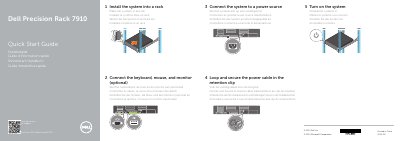
Dell Precision Rack 7910 Quick Start Guide
This document serves as a quick start guide for the Dell Precision Rack 7910 workstation. It outlines the initial steps required to set up the system, including installing the unit into a rack, connecting essential peripherals like the keyboard, mouse, and monitor, and establishing a power connection. The guide also details how to secure the power cable using the retention clip.
Read onlineDell Precision Rack 7910 specifications
| Regulatory model | E31S |
|---|---|
| Regulatory type | E31S001 |
| Computer model | Dell Precision Rack 7910 |
All Dell Precision Rack 7910 documents by type
The shortest path to a working setup, usually only a few pages.
Questions answered in these manuals
What is the Dell Precision Rack 7910?
It is a workstation that must be installed into a rack.
How do you secure the power cable?
Loop and secure the power cable in the retention clip.
How do I install the Dell Precision Rack 7910 into a rack?
Install the system into a rack.
Where can I find product support and manuals?
Visit dell.com/support and dell.com/support/manuals.
How do I access support for the Dell Precision Rack 7910?
Scan for access to support at Dell.com/QRL/Workstation/R7910.
Where can I find product support and manuals?
Product support and manuals are available at dell.com/support and dell.com/support/manuals.