
Dell Wireless Docking Station WLD15 Quick Start Guide
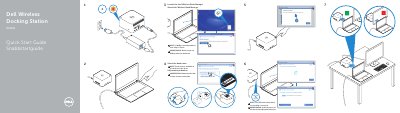
This guide helps you set up and connect your Dell WLD15 wireless docking station. It includes steps to launch the Intel Wireless Dock Manager and select your dock name. The guide also describes the docking station's ports and features, such as USB 3.0, display, and power connections.
The docking station supports WiGig connectivity and includes status indicators. It is designed for use with Dell devices and includes regulatory compliance information and support links.
The LED turns white when successfully connected.
The dock name is available at the bottom of the dock.
Skip to Step 4.
The regulatory model is WLD15.