
Key facts
Start here
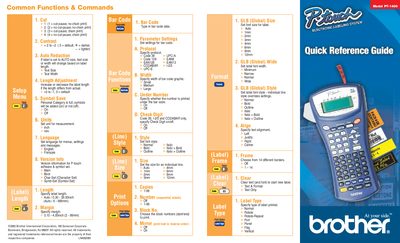
Brother PT-1400 Label Maker Quick Reference Guide
This document serves as a quick reference guide for the Brother PT-1400 label maker. It details various print options such as cut-pause settings, chain printing, and measurement units (inch/mm). The guide also explains how to adjust text size, width, and font styles including Normal, Bold, Italic, and Outline.
Read onlineBrother PT-1400 specifications
| Model | PT-1400 |
|---|---|
| Copyright Year | 2003 |
| Document ID | LN4393001 |
All Brother PT-1400 documents by type
The shortest path to a working setup, usually only a few pages.
Day-to-day operation, settings and troubleshooting. Start here if the product is already set up.
Questions answered in these manuals
What are the available measurement units?
The device allows you to set the unit for measurement to either inch or mm.
Which bar code protocols are supported?
Supported protocols include Code 39 C-A, Code 128, EAN8, EAN128, EAN13, CODABAR 1-2/5, and UPC-E.
What is the warranty period for the machine?
The machine has a two-stage warranty consisting of 90 days from the original purchase date and an additional warranty up to one year.
What is covered under the consumable warranty?
Consumables and accessories, such as label cassettes, cutters, stamps, power adapters, cases, and batteries, are covered for 90 days.