
Key facts
- Brand
- Brother
- Model
- MFC-4600
- Category
- Fax machine
- Documents
- 2
- Languages
- EN
- Last added
- 2012-07-02
Start here
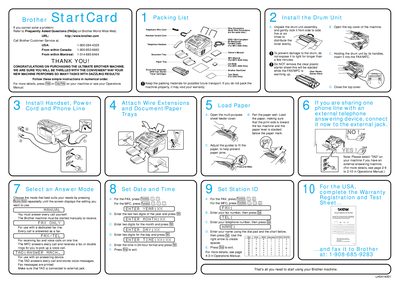
Brother MFC-4600 Quick Start Guide
This document serves as a quick start guide for the Brother MFC-4600 multifunction machine. It provides essential instructions for unpacking the device, installing the drum unit assembly, and loading paper into the multi-purpose feeder cover.
The guide also details how to configure the machine for receiving calls, including setting up the date, time, fax number, and telephone number. It explains different modes such as answering every call manually or automatically via TAD (Telephone Answering Device) functionality.
All Brother MFC-4600 documents by type
The shortest path to a working setup, usually only a few pages.
Day-to-day operation, settings and troubleshooting. Start here if the product is already set up.
Questions answered in these manuals
How do I adjust the paper guides in the multi-purpose sheet feeder?
Adjust the guides to fit the paper to help prevent paper jams.
How can I get instant answers to common technical questions?
You can use the Brother fax-back system, which is available 24 hours a day, 7 days a week.
Where can I find more information about Brother products online?
You can visit the Brother Bulletin Board at http://www.brother.com.