
Key facts
Start here
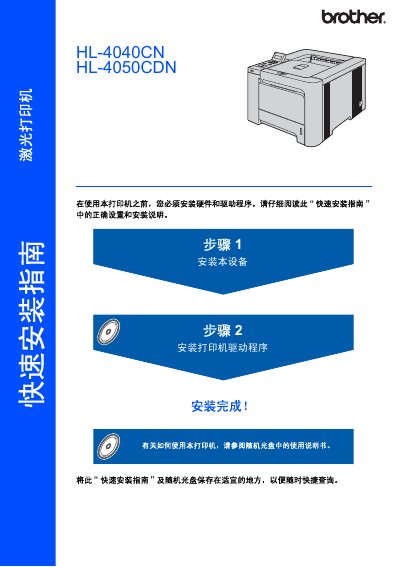
Brother HL-4040CN HL-4050CDN Laser Printer Quick Installation Guide
This is the quick installation guide for the Brother HL-4040CN and HL-4050CDN laser printers. It explains how to install the hardware and drivers, use the control panel, and connect the printer using USB, parallel, or network cables.
The guide also includes safety precautions, unpacking contents, consumables and options, repacking instructions, and troubleshooting information. This manual is written in Chinese.
Brother HL-4040CN HL-4050CDN specifications
| Weight | 64.2 lb (29.1 kg) |
|---|---|
| Fusing Unit Voltage | 230 V |
| Input Voltage (for 220‑240 V models) | 220 V – 240 V |
Source: Brother HL-4040CN / HL-4050CDN Laser Printer User Manual
All Brother HL-4040CN HL-4050CDN documents by type
Day-to-day operation, settings and troubleshooting. Start here if the product is already set up.
The shortest path to a working setup, usually only a few pages.
Questions answered in these manuals
How should I clean residual toner from the printer?
Use a non‑woven cloth to gently remove residual toner; do not use a vacuum cleaner or flammable cleaning agents.
From: Brother HL-4040CN / HL-4050CDN Laser Printer User Manual
What should I do if the printer becomes hot, smokes, or smells burnt?
Immediately turn off the power switch and unplug the printer, then contact Brother service.
From: Brother HL-4040CN / HL-4050CDN Laser Printer User Manual
What wired Ethernet speed does the print server support?
The print server operates on a 10/100Mb wired Ethernet network.
From: Brother HL-4040CN/HL-4050CDN Multi-protocol Embedded Ethernet Print Server User Manual
What is the minimum Mac OS version required for TCP/IP printing?
The device supports Macintosh OS X 10.2.4 or higher versions.
From: Brother HL-4040CN/HL-4050CDN Multi-protocol Embedded Ethernet Print Server User Manual
How heavy is the printer?
The printer weighs about 64.2 lb (29.1 kg).
From: Brother HL-4040CN HL-4050CDN Laser Printer Quick Installation Guide
What laser safety class does the printer use?
It is a Class 1 laser product compliant with IEC 60825-1+A2: 2001.
From: Brother HL-4040CN HL-4050CDN Laser Printer Quick Installation Guide