
Key facts
Start here
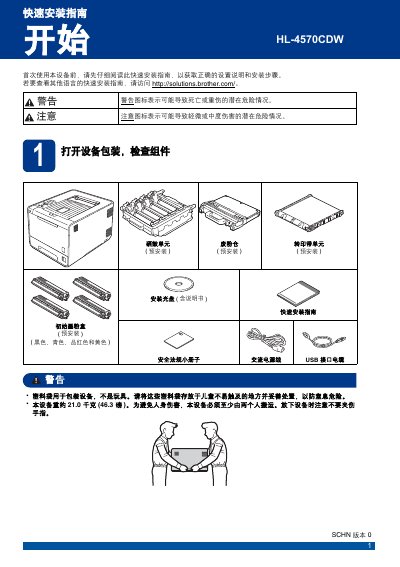
Brother HL-4570CDW Quick Start Guide
This Quick Start Guide for the Brother HL-4570CDW printer outlines the essential steps for initial setup. It covers unpacking the device, removing protective packaging, loading paper, and printing a test page to verify functionality. The guide also includes instructions for setting the display language and preparing the device for connection. This manual is written in Chinese.
Read onlineBrother HL-4570CDW specifications
| Supported paper weight | 70 – 90 g/m² |
|---|---|
| Paper thickness range | 80 – 110 µm |
| Paper roughness | greater than 20 sec. |
| Brightness (paper) | greater than 80 % |
| Opacity (paper) | greater than 85 % |
All Brother HL-4570CDW documents by type
The shortest path to a working setup, usually only a few pages.
Day-to-day operation, settings and troubleshooting. Start here if the product is already set up.
Questions answered in these manuals
How many people are required to move the device safely?
The device must be moved by at least two people to avoid personal injury.
What is the approximate weight of the device?
The device weighs approximately 21.0 kilograms (46.3 pounds).
How do I replace the toner cartridge?
Remove the protective cover, then insert the new toner cartridge into the drum unit, avoiding contact with the shaded area of the cartridge.
What should I do if a paper jam occurs?
Open the indicated paper tray, carefully remove the jammed paper, and ensure the tray contains only the selected paper size before restarting the print job.