
Key facts
- Brand
- Brother
- Model
- MFC-490CW
- Documents
- 3
- Languages
- ZH
- Last added
- 2011-12-17
Start here
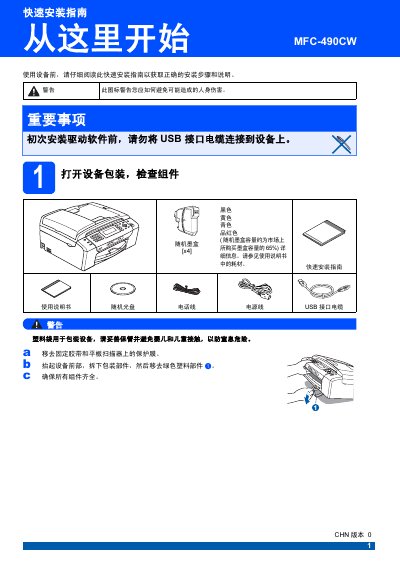
Brother MFC-490CW Multifunction Printer Quick Setup Guide
This Chinese quick setup guide explains how to unpack the Brother MFC-490CW multifunction printer, remove packing tape and protective film, load A4 paper, and connect the power cord and telephone line. It also describes installing the supplied ink cartridges, checking the print test page, and selecting a fax receive mode.
The guide then covers LCD contrast, date and time, station ID and dialing mode settings, restoring network settings to factory defaults, and entering text for wireless network configuration. Notes warn not to connect the USB cable before installing the driver software. This manual is written in Chinese.
Brother MFC-490CW specifications
| Paper size | 10x15 cm |
|---|---|
| Paper type | Other photo paper |
| Ink cartridge | Brother original ink cartridges |
Source: brother MFC-490W Manual
All Brother MFC-490CW documents by type
Disassembly, diagnostics and part numbers, for repair.
The shortest path to a working setup, usually only a few pages.
Day-to-day operation, settings and troubleshooting. Start here if the product is already set up.
- brother MFC-490W Manual 208 p
Questions answered in these manuals
What fax receive modes does the device offer?
It offers Fax Only, Fax/Tel, Manual and External TAD modes.
From: Brother MFC-490CW Multifunction Printer Quick Setup Guide
How long does the first ink tube cleaning take?
It lasts about four minutes after the ink cartridges are first installed.
From: Brother MFC-490CW Multifunction Printer Quick Setup Guide