
Key facts
- Brand
- Brother
- Model
- TD-2020
- Industry
- Electronics
- Documents
- 4
- Languages
- ZH
- Last added
- 2026-11-07
Start here
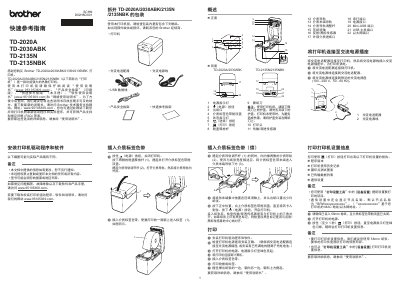
Brother TD-2020A/2030ABK/2135N/2135NBK Thermal Printer Quick Reference Guide
This document serves as a Quick Reference Guide for the Brother TD-2020A, TD-2030ABK, TD-2135N, and TD-2135NBK thermal printers. It provides essential information on initial setup, including connecting power and installing media ribbons.
The guide also covers basic operations such as printing printer settings reports, troubleshooting common issues like paper jams or print quality problems, and performing maintenance tasks like cleaning the print head. This manual is written in Chinese.
All Brother TD-2020 documents by type
Day-to-day operation, settings and troubleshooting. Start here if the product is already set up.
The shortest path to a working setup, usually only a few pages.
Questions answered in these manuals
How do I install the printer driver and software?
Insert the installer CD-ROM into your CD-ROM drive. Choose your language, click [Standard Installation], read the license agreement, and click [Agree] if you agree. Then click [Install] and follow on-screen instructions.
What should I do if the printer does not print?
Check that cables are securely connected. If the STATUS indicator is blinking, check the error details in the 'Indicators' section and refer to 'If the STATUS indicator was blinking in red'.
Which operating systems are supported?
The printer supports Windows 8.1, Windows 10, and Windows 11.
From: Brother TD-2020A/2030ABK/TD-2135N Thermal Network Label Printer User's Guide
What is the maximum print height for these Brother label printers?
The maximum print height is 56 mm.
From: Brother TD-2020A/2030ABK/TD-2135N Thermal Network Label Printer User's Guide
How do I print the printer settings report?
Hold down the Print button for at least 1 second until the Power indicator flashes green.
From: Brother TD-2020A/2030ABK/2135N/2135NBK Thermal Printer Quick Reference Guide
How do I reset the printer to factory settings?
Press and hold the Feed button six times while pressing the Power button, then release the Power button.
From: Brother TD-2020A/2030ABK/2135N/2135NBK Thermal Printer Quick Reference Guide