
Key facts
- Brand
- Brother
- Model
- MFC-T4500DW
- Category
- Printer
- Industry
- Appliances
- Documents
- 2
- Languages
- EN · ZH
- Last added
- 2026-11-19
Start here
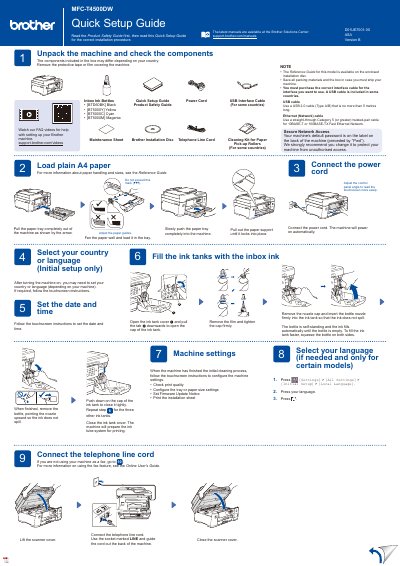
Brother MFC-T4500DW Quick Setup Guide
This document serves as a Quick Setup Guide for the Brother MFC-T4500DW multifunction machine. It provides step-by-step instructions for unpacking the device, filling the inbox ink bottles, and connecting the power cord to turn the machine on. Users are advised to read the Product Safety Guide first and may need to select their country or language during the initial setup via the touchscreen.
Read onlineAll Brother MFC-T4500DW documents by type
The shortest path to a working setup, usually only a few pages.
Day-to-day operation, settings and troubleshooting. Start here if the product is already set up.
Questions answered in these manuals
Where is the machine's default password located?
It is on the label on the back of the machine, preceded by "Pwd".
What USB cable should be used to connect the machine to a computer?
Use a USB 2.0 cable (Type A/B) that is no more than 5 metres long.
What is the copyright year shown in the manual?
The copyright year shown is 2018.
Where does the manual direct users for service and technical support?
It lists www.95105369.com for service and technical support.