
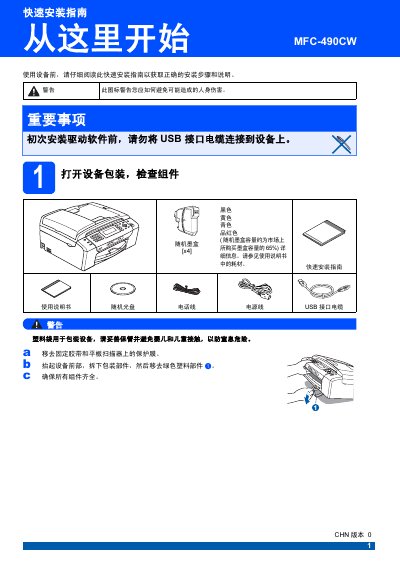
Brother MFC-490CW Multifunction Printer Quick Setup Guide


Brother MFC-490CW Multifunction Printer Quick Setup Guide - cover page
Brand
Brother
Category
All-in-one printer
Document type
Quick Start Guide
Language
Chinese
Pages
43
File format
PDF
Published
17 December, 2011
Updated
29 September, 2023
MD5 checksum
9E7EA19DD2E51C34B7FBFB2E371F77E8

About this manual

This Chinese quick setup guide explains how to unpack the Brother MFC-490CW multifunction printer, remove packing tape and protective film, load A4 paper, and connect the power cord and telephone line. It also describes installing the supplied ink cartridges, checking the print test page, and selecting a fax receive mode.

The guide then covers LCD contrast, date and time, station ID and dialing mode settings, restoring network settings to factory defaults, and entering text for wireless network configuration. Notes warn not to connect the USB cable before installing the driver software. This manual is written in Chinese.

What's inside

  • Unpacking and checking components
  • Loading A4 paper
  • Connecting the power cord and telephone line
  • Installing ink cartridges
  • Checking print quality
  • Selecting a receive mode
  • Setting date and time
  • Setting tone or pulse dialing
  • Restoring network settings to factory defaults
  • Entering text for wireless settings

Specifications

Fax receive modesFax Only, Fax/Tel, Manual, External TAD
Initial ink tube cleaning timeAbout 4 minutes

Frequently asked questions

What fax receive modes does the device offer?

It offers Fax Only, Fax/Tel, Manual and External TAD modes.

How long does the first ink tube cleaning take?

It lasts about four minutes after the ink cartridges are first installed.

How is the time entered when setting the date and time?

Hours and minutes are entered in 24-hour format.

Download PDF

More Brother Manuals


View all Brother manuals →