
Key facts
- Brand
- Brother
- Model
- MFC-L8690CDW
- Category
- All-in-one printer
- Industry
- Electronics
- Documents
- 2
- Languages
- EN
- Last added
- 2026-11-16
Start here
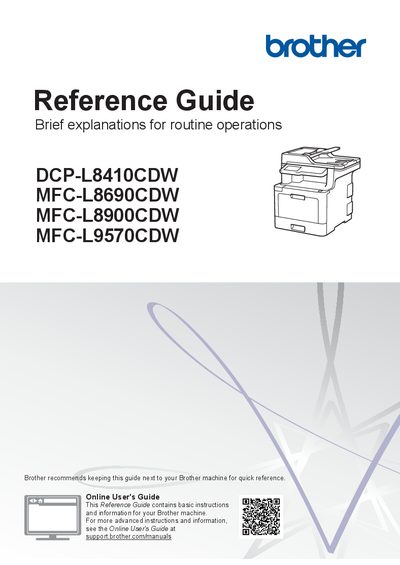
Brother DCP-L8410CDW / MFC-L8690CDW / MFC-L8900CDW / MFC-L9570CDW User Manual
The Reference Guide offers quick reference for routine operations such as fax, copy, and scan, and points users to the Online User's Guide for more detailed instructions. It also lists the Quick Setup Guide, Safety Guide, and mobile printing information.
The manual describes the control panel, touchscreen LCD, NFC reader (on MFC-L8900CDW/MFC-L9570CDW), home and shortcut screens, network settings, and supplies such as toner cartridges, drum units, belt units, and waste toner boxes. It directs users to the Brother Solutions Center for FAQs, videos, and additional support.
Brother MFC-L8690CDW specifications
| Print speed | Up to 31 ppm colour and mono |
|---|---|
| Two-sided scan speed | Up to 56 ipm |
| Standard paper input | Up to 300 sheets |
| Maximum paper input | Up to 1,050 sheets |
| Display | 9.3 cm colour touchscreen |
| Memory | 512 MB |
| Wireless network | IEEE 802.11b/g/n |
| Scanner resolution from ADF | Up to 1,200 x 600 dpi |
Source: Brother MFC-L8690CDW All-in-One Color Laser Printer Datasheet
All Brother MFC-L8690CDW documents by type
Ratings, dimensions and ordering codes, for selection and design work.
Day-to-day operation, settings and troubleshooting. Start here if the product is already set up.
Questions answered in these manuals
What is the print speed of the Brother MFC-L8690CDW?
It prints at up to 31 ppm in color and mono.
From: Brother MFC-L8690CDW All-in-One Color Laser Printer Datasheet
What is the maximum paper input capacity?
The maximum paper input is up to 1,050 sheets.
From: Brother MFC-L8690CDW All-in-One Color Laser Printer Datasheet
Where can I find the online user guide?
You can view the Online User's Guide at support.brother.com/manuals.
From: Brother DCP-L8410CDW / MFC-L8690CDW / MFC-L8900CDW / MFC-L9570CDW User Manual
How do I use the NFC reader?
Touch an IC card to the NFC Reader on the control panel to authenticate.
From: Brother DCP-L8410CDW / MFC-L8690CDW / MFC-L8900CDW / MFC-L9570CDW User Manual