
Key facts
Start here
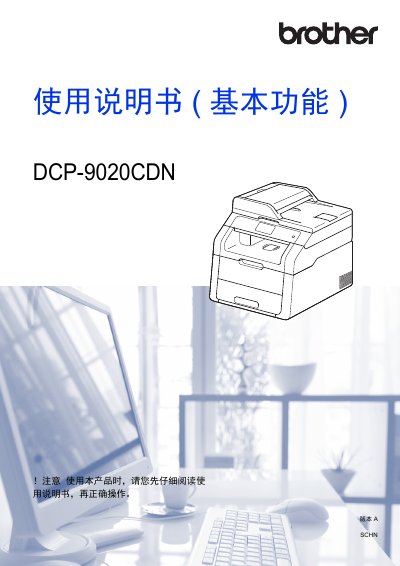
Brother DCP-9020CDN User Manual
This manual covers everything you need to get started with the Brother DCP-9020CDN, including safety information, basic and advanced functions, paper handling, and software setup for Windows, Mac, and mobile devices. It also explains environmental guidelines and how to properly recycle consumables.
Later sections detail routine maintenance, replacement of consumables such as toner cartridges and drums, troubleshooting common errors, and specifications of the device. Reference tables list supported paper sizes, power consumption, and other technical data. This manual is written in Chinese.
Brother DCP-9020CDN specifications
| Memory capacity | 192 MB |
|---|---|
| LCD size | 3.7 inches |
| Average power consumption (peak) | ≈ 1200 W |
| Ready mode power consumption | ≈ 70 W |
| Sleep mode power consumption | ≈ 7 W |
| Weight (incl. consumables) | 23.0 kg |
| Maximum paper capacity | 250 sheets (80 g/m²) |
Source: Brother DCP-9020CDN User Manual
All Brother DCP-9020CDN documents by type
Day-to-day operation, settings and troubleshooting. Start here if the product is already set up.
Questions answered in these manuals
Which models does this manual cover?
This manual is applicable to the DCP-9020CDN, MFC-9140CDN, and 9340CDW models.
From: Brother DCP-9020CDN/MFC-9140CDN/9340CDW Network User Guide
Can I use both wired and wireless connections simultaneously?
No, the device can only use one connection method at a time, though Wi-Fi Direct can be used with either.
From: Brother DCP-9020CDN/MFC-9140CDN/9340CDW Network User Guide
What is the recommended operating temperature range for the device?
The operating environment temperature should be kept between 10°C and 32.5°C.
From: Brother HL-3150CDN/HL-3170CDW/DCP-9020CDN/MFC-9140CDN/MFC-9340CDW Product Safety Manual
How long must you wait before touching internal parts after using the device?
You must wait at least 10 minutes for the device to cool down completely.
From: Brother HL-3150CDN/HL-3170CDW/DCP-9020CDN/MFC-9140CDN/MFC-9340CDW Product Safety Manual
Where can I find the network configuration instructions?
The Network Use Manual (PDF) included on the installation CD provides wired network setup and security settings.
What is the maximum time the device can keep date and time settings during a power outage?
The device can save date and time settings for up to 60 hours during a power outage.