
Key facts
- Brand
- TP-Link
- Model
- TL-SG2226
- Category
- Network Switches
- Documents
- 2
- Languages
- ZH
- Last added
- 2023-11-11
Start here
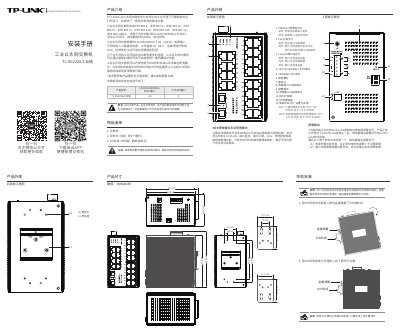
TP-LINK TL-SG2226 Industrial Ethernet Switch Installation Manual
TP-LINK TL-SG2226 is an industrial Ethernet switch with 24 10/100/1000Mbps RJ45 ports and 2 gigabit SFP ports. It supports IEEE 802.3, 802.3i, 802.3u, 802.3x, 802.3z, 802.3ab, 802.3ad, 802.1p and 802.1q, accepts 12V/24V/48VDC power, operates from -40 to 65 C, and has an IP30 metal enclosure. Broadcast storm protection and web/cloud management are controlled by DIP switches that are off by default.
This installation manual describes DIN rail and wall mounting, wiring requirements, redundant DC power input wiring, relay alarm output conditions, local web management at http://10.18.18.251, and cloud management with the Shangyun app. It also lists dimensions, temperature and humidity ranges, and EMC test levels. This manual is written in Chinese.
TP-LINK TL-SG2226 specifications
| Standards | IEEE 802.3, 802.3i, 802.3z, 802.3u, 802.3x, 802.3ab, 802.3ad, 802.1p, 802.1q |
|---|---|
| Power input | 12V/24V/48VDC, 1.0A (@24V) |
| Dimensions | 137 x 128 x 78 mm |
| Operating humidity | 10% to 90% RH, non-condensing |
| Storage humidity | 5% to 90% RH, non-condensing |
Source: TP-LINK TL-SG2226 Industrial Ethernet Switch Installation Manual
All TP-LINK TL-SG2226 documents by type
Mounting, wiring and first power-up. Read it before the hardware goes in.
Questions answered in these manuals
What is the default web management address?
http://10.18.18.251
From: TP-LINK TL-SG2226 Industrial Ethernet Switch Installation Manual
How should a PC be configured to access the switch web interface?
Set the PC IP address to 10.18.18.x (x from 1 to 250) and subnet mask to 255.255.255.0.
From: TP-LINK TL-SG2226 Industrial Ethernet Switch Installation Manual
How do I reset the switch to factory defaults if I forget the username and password?
Switch the device from Web Management mode to another mode (VLAN Isolation or Standard Switch) and back to Web Management mode. The device will reboot and restore to factory defaults.
From: TP-Link TL-SG2226/TL-SG2218/TL-SG2024/TL-SG2016 Gigabit Web Managed Switch Installation Manual
What should I do if the power indicator is not working?
Check if the power cable is properly connected and if the input voltage matches the switch's requirements (100-240V~ 50/60Hz).
From: TP-Link TL-SG2226/TL-SG2218/TL-SG2024/TL-SG2016 Gigabit Web Managed Switch Installation Manual