
TL-SG2226 Industrial Ethernet Switch is specially designed for reliable and stable operation in harsh industrial environments, and provides a cost-effective solution.
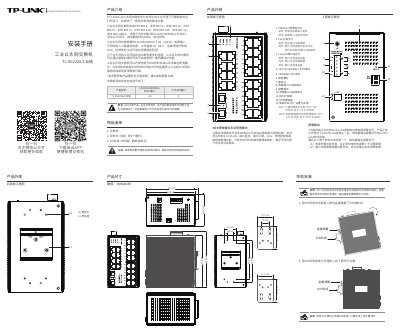
TP-LINK TL-SG2226 is an industrial Ethernet switch with 24 10/100/1000Mbps RJ45 ports and 2 gigabit SFP ports. It supports IEEE 802.3, 802.3i, 802.3u, 802.3x, 802.3z, 802.3ab, 802.3ad, 802.1p and 802.1q, accepts 12V/24V/48VDC power, operates from -40 to 65 C, and has an IP30 metal enclosure. Broadcast storm protection and web/cloud management are controlled by DIP switches that are off by default.
This installation manual describes DIN rail and wall mounting, wiring requirements, redundant DC power input wiring, relay alarm output conditions, local web management at http://10.18.18.251, and cloud management with the Shangyun app. It also lists dimensions, temperature and humidity ranges, and EMC test levels. This manual is written in Chinese.
| Standards | IEEE 802.3, 802.3i, 802.3z, 802.3u, 802.3x, 802.3ab, 802.3ad, 802.1p, 802.1q |
|---|---|
| Power input | 12V/24V/48VDC, 1.0A (@24V) |
| Dimensions | 137 x 128 x 78 mm |
| Operating humidity | 10% to 90% RH, non-condensing |
| Storage humidity | 5% to 90% RH, non-condensing |
http://10.18.18.251
Set the PC IP address to 10.18.18.x (x from 1 to 250) and subnet mask to 255.255.255.0.
No, the DIP switches are set to off by default.
When power alarm is enabled and the number of normal power supplies is below the set threshold, or when port interruption alarm is enabled and a port fault occurs.