
Key facts
- Brand
- TP-Link
- Model
- AX3000
- Category
- mesh router
- Documents
- 2
- Languages
- ZH · EN
- Last added
- 2026-10-15
Start here
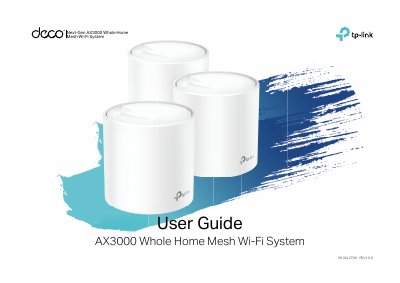
TP-Link Next-Gen AX3000 Whole Home Mesh Wi-Fi System User Guide
This guide introduces the TP-Link AX3000 Whole Home Mesh Wi-Fi System and the Deco app. It explains the Deco LED status indicators, Ethernet ports, reset button, and power slot, then walks through downloading the app, logging in with a TP-Link ID, connecting to a modem, selecting a location, setting up the internet connection, creating a Wi-Fi network, and adding more Decos.
It also describes the Deco app dashboard and Overview screens, along with Wi-Fi settings, Internet Speedtest, blacklist, online update, advanced features, and WPS. The guide includes regulatory and compliance information for CE, Canada, Korea, and Taiwan.
TP-Link AX3000 specifications
| Operating frequency (2.4 GHz) | 2412 MHz-2483.5 MHz (20 dBm) |
|---|---|
| Operating frequency (5 GHz) | 5150 MHz-5250 MHz (23 dBm) |
| RF exposure distance | 20 cm |
Source: TP-Link Next-Gen AX3000 Whole Home Mesh Wi-Fi System User Guide
All TP-Link AX3000 documents by type
Day-to-day operation, settings and troubleshooting. Start here if the product is already set up.
Questions answered in these manuals
How do I restore the router to factory settings?
Press and hold the RESET button on the back of the router.
From: TP-LINK TL-XDR3050 AX3000 Dual-Band Wi-Fi 6 Router User Manual
How many 'Easy Expansion' routers can be connected in a distributed network?
Up to 8 devices (1 main router + 7 sub-routers) can be connected simultaneously.
From: TP-LINK TL-XDR3050 AX3000 Dual-Band Wi-Fi 6 Router User Manual
How do I reset a Deco to factory default settings?
Press the Reset button for 1 second.
From: TP-Link Next-Gen AX3000 Whole Home Mesh Wi-Fi System User Guide
What does a green solid LED indicate?
The Deco is registered and all is well.
From: TP-Link Next-Gen AX3000 Whole Home Mesh Wi-Fi System User Guide