
TP-LINK TL-XDR3050 AX3000 Dual-Band Wi-Fi 6 Router User Manual

This manual provides installation, configuration, and troubleshooting instructions for the TP-LINK TL-XDR3050 AX3000 dual-band Wi-Fi 6 router.
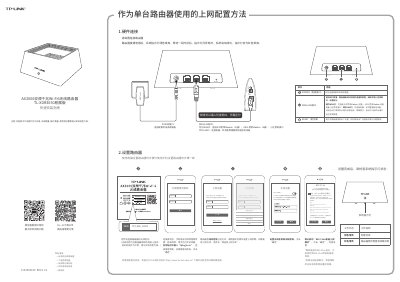

TP-LINK TL-XDR3050 AX3000 Dual-Band Wi-Fi 6 Router User Manual - cover page
Brand
TP-Link
Category
Router
Document type
User Manual
Language
Chinese
Pages
2
File format
PDF
File size
1.5 MB
Published
15 October, 2026
Updated
15 October, 2026
MD5 checksum
A57D14A3C68BD4EAEA350333D3F516AD

About this manual

This user guide covers the setup and usage of the TP-LINK TL-XDR3050 AX3000 Dual-Band Gigabit Wi-Fi 6 Router. It details how to connect hardware, configure internet access via various methods (PPPoE, Dynamic IP), and set up wireless networks including the 'Wi-Fi Multi-band Convergence' feature. This manual is written in Chinese.

What's inside

  • Hardware Connection
  • Router Settings
  • Wireless Setup
  • Easy Expansion Network Configuration
  • Troubleshooting

Frequently asked questions

How do I restore the router to factory settings?

Press and hold the RESET button on the back of the router.

How many 'Easy Expansion' routers can be connected in a distributed network?

Up to 8 devices (1 main router + 7 sub-routers) can be connected simultaneously.

What does a green solid light indicate on the sub-router?

It indicates that the sub-router is connected to the main router with strong signal.

Download PDF (1.5 MB)

More TP-Link Manuals


View all TP-Link manuals →