
Key facts
- Brand
- Philips
- Model
- SNP6000
- Documents
- 3
- Languages
- ZH
- Last added
- 2012-02-28
Start here
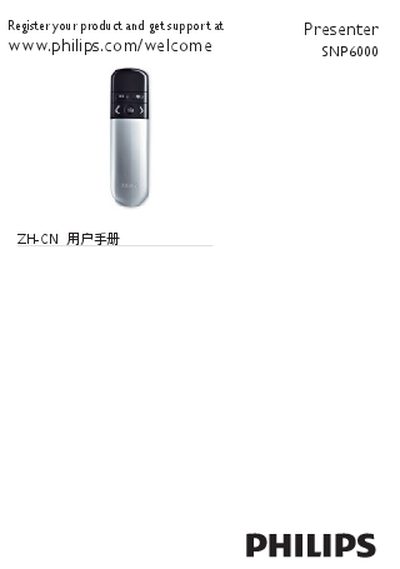
Philips SNP6000 Presenter User Manual
The SNP6000 is a wireless presenter with an integrated laser pointer and an optional air‑mouse mode. It connects to a computer via a Nano USB receiver and is powered by two AAA batteries.
The manual covers product overview, battery installation, connecting the Nano receiver, basic operation, FCC and laser safety warnings, troubleshooting steps, and guidance for proper disposal and recycling of the device and its batteries. This manual is written in Chinese.
Philips SNP6000 specifications
| Interface | USB 1.1, USB 2.0 |
|---|---|
| Battery type | AAA |
| Mac OS compatibility | Mac OS X 10.2.8 or later |
| Windows OS compatibility | Windows 2000, XP, Vista |
All Philips SNP6000 documents by type
Day-to-day operation, settings and troubleshooting. Start here if the product is already set up.
Questions answered in these manuals
Which operating systems are supported by the SNP6000 presenter?
It works with Mac OS X 10.2.8 or later and Windows 2000, XP, and Vista.
How is a low‑battery condition indicated?
A low‑battery indicator light turns on when the battery level is low.
What should I do if there is no signal transmission?
Make sure the presenter is within the effective range, check that the LED flashes three times, and replace the batteries if needed.
How can I switch between presenter and air‑mouse modes?
Use the mode‑switch button on the device to select either the presenter mode or the air‑mouse mode.
What should I do if there is no transmission between the presenter and the receiver?
Make sure the presenter is turned on and within the effective range, and replace the batteries if the indicator does not flash.
What safety warnings apply to the laser pointer?
Do not stare into the beam; the device is a Class 2 laser and complies with IDA standards.