
Key facts
- Brand
- Philips
- Model
- SA6014
- Category
- MP3 Player
- Industry
- Electronics
- Documents
- 4
- Languages
- ZH
- Last added
- 2000-01-01
Start here
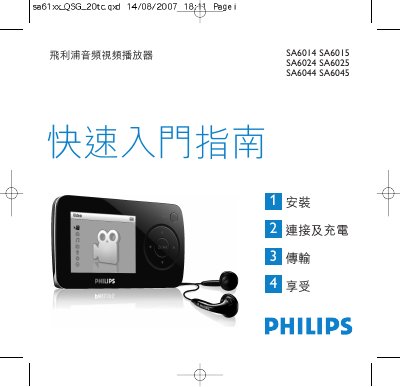
Philips SA6014/SA6015/SA6024/SA6025/SA6044/SA6045 Audio Video Player Quick Start Guide
This quick start guide covers installing the included software, connecting and charging the Philips GoGear SA6014/SA6015/SA6024/SA6025/SA6044/SA6045 audio video player, and transferring music, pictures, and videos.
It also explains controls, menu navigation, music playback, FM radio, voice recording, media deletion, troubleshooting, and disposal of old products. This manual is written in Chinese.
Philips SA6014 specifications
| FM radio frequency range | 87.5-108 MHz |
|---|---|
| FM tuning step (Europe/Asia) | 0.05 MHz |
| Preset radio stations | Up to 10 |
| Voice recording file name | VOICEXXX.WAV |
Source: Philips SA6014/SA6015/SA6024/SA6025/SA6044/SA6045 Audio Video Player Quick Start Guide
All Philips SA6014 documents by type
Day-to-day operation, settings and troubleshooting. Start here if the product is already set up.
The shortest path to a working setup, usually only a few pages.
Questions answered in these manuals
How do I get support?
Visit www.philips.com/welcome for help and support information.
What are the operating and storage temperature requirements for the player?
The player should be operated between 0 and 35 degrees Celsius (32 to 95 degrees Fahrenheit) and stored between -20 and 45 degrees Celsius (-4 to 113 degrees Fahrenheit).
How do I reset the player?
Insert a pin or other sharp object into the reset hole on the bottom of the player, hold until the player turns off, then restart it.
From: Philips SA6014/SA6015/SA6024/SA6025/SA6044/SA6045 Audio Video Player Quick Start Guide
How many FM radio stations can be stored as presets?
The player can store up to 10 preset stations with the strongest reception.
From: Philips SA6014/SA6015/SA6024/SA6025/SA6044/SA6045 Audio Video Player Quick Start Guide
How do I reset the player?
Insert a pin or similar object into the reset hole at the bottom of the player and hold it until the power turns off, then turn the player back on.
From: Philips SA6014/SA6015/SA6024/SA6025/SA6044/SA6045 Audio Video Player Quick Start Guide
How can I transfer videos to the player?
Connect the player via USB, start MediaConverter for Philips, select the video files, and click Convert to copy them to the device.
From: Philips SA6014/SA6015/SA6024/SA6025/SA6044/SA6045 Audio Video Player Quick Start Guide