
Key facts
- Brand
- Philips
- Model
- SA5000
- Documents
- 5
- Languages
- EN · ZH
- Last added
- 2000-01-01
Start here
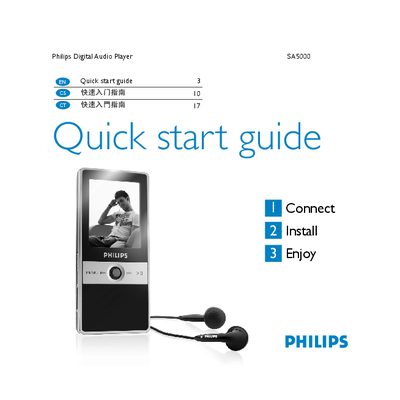
Philips SA5000 Quick Start Guide
The guide introduces the SA5000 package, showing the in‑ear headphones, line‑in cable, USB cable, CD‑ROM with software and the quick start guide itself. It explains how to connect the player to a computer with the supplied mini‑USB cable, how the battery charges automatically (full charge in 5 hours, 80 % in 3 hours), and how to install the Philips Firmware Manager from the included CD.
Navigation is performed with the central Navigator key: left/right moves through menus, up/down scrolls lists, and a press confirms a selection. The guide also lists supported video formats (.mov, M‑JPEG .avi, QVGA 320×240, up to 10 min) and audio PCM settings (mono, 16‑bit, 1.025 kHz). Support contact information and warranty notes are provided at the end.
Philips SA5000 specifications
| Full charge time | 5 hours |
|---|---|
| 80 % charge time | 3 hours |
| Supported video resolution | QVGA (320×240 pixels) |
| Maximum video length | 10 minutes |
| Supported video file types | .mov, .avi (M‑JPEG) |
| Audio channels | Mono |
| Audio sample size | 16 bit |
| Audio sample rate | 1.025 kHz |
| Video frame rate | 0 fps |
Source: Philips SA5000 Quick Start Guide
All Philips SA5000 documents by type
Day-to-day operation, settings and troubleshooting. Start here if the product is already set up.
The shortest path to a working setup, usually only a few pages.
Questions answered in these manuals
How do I connect the SA5000 to a computer?
Plug the supplied mini‑USB (B type) end into the bottom of the player and the USB (A type) end into the computer.
How long does it take to fully charge the SA5000?
The battery reaches a full charge after about 5 hours on the first charge and about 80 % after 3 hours.
How long does it take to fully charge the SA5000 battery for the first time?
Connect the USB cable and the battery will start charging automatically; a full charge requires about 5 hours.
What should I do if the player freezes or becomes unresponsive?
Press and hold the play/pause button for roughly 10 seconds to reset the device.
How do I lock the controls to prevent accidental operation?
Turn the lock switch to the lock position; all buttons will be disabled until the switch is returned to the normal position.
What is the battery life for audio playback?
The battery provides approximately 12 hours of audio playback.