
Key facts
- Brand
- Philips
- Model
- SA5225BT
- Category
- MP3 Player
- Industry
- Electronics
- Documents
- 2
- Languages
- ZH
- Last added
- 2012-03-12
Start here
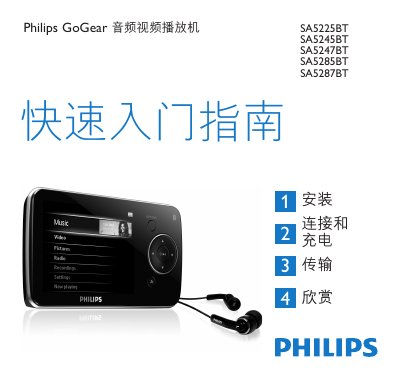
Philips SA5225BT/SA5245BT/SA5247BT/SA5285BT/SA5287BT Audio Video Player Quick Start Guide
The guide provides step‑by‑step instructions for setting up the GoGear audio video player, including how to install the required software, connect the device via the mini‑USB port, charge the battery, transfer music and video files, and enjoy playback using the built‑in controls and Bluetooth headphones. It also covers basic functions such as radio, recording, and playback modes.
Additional information includes how to register the product for firmware updates, where to find the full user manual and software downloads (www.philips.com/welcome), and proper disposal of the built‑in rechargeable battery in accordance with European environmental directives. This manual is written in Chinese.
Philips SA5225BT specifications
| Full charge time | 5 hours |
|---|---|
| Battery level indicators | Full, 2/3 full, half, low, empty |
| USB port type | Mini‑USB |
| Bluetooth indicator | LED |
Source: Philips SA5225BT/SA5245BT/SA5247BT/SA5285BT/SA5287BT Audio Video Player Quick Start Guide
All Philips SA5225BT documents by type
Day-to-day operation, settings and troubleshooting. Start here if the product is already set up.
The shortest path to a working setup, usually only a few pages.
Questions answered in these manuals
How long does it take to fully charge the GoGear player?
It requires at least 5 hours for a full charge; after 4 hours the battery is 100 % full and after 2 hours it reaches about 80 %.
From: Philips SA5225BT/SA5245BT/SA5247BT/SA5285BT/SA5287BT Audio Video Player Quick Start Guide
What happens when the battery is almost empty?
The battery screen flashes, the player saves all settings and any unfinished recordings, and it powers off after about 60 seconds.
From: Philips SA5225BT/SA5245BT/SA5247BT/SA5285BT/SA5287BT Audio Video Player Quick Start Guide