
Key facts
- Brand
- Philips
- Model
- HTR3465
- Documents
- 3
- Languages
- ZH
- Last added
- 2012-03-13
Start here
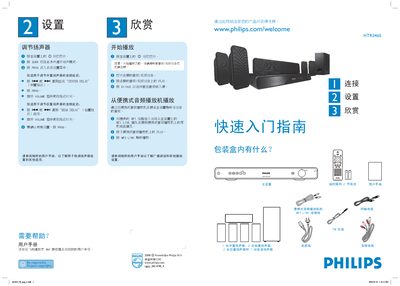
Philips HTR3465 Digital AV Receiver Quick Start Guide
This guide provides step‑by‑step instructions to get the Philips HTR3465 digital AV receiver up and running. It explains how to unpack the system, adjust speaker delays, and start playback using the remote control.
The document also details proper speaker placement, wiring of audio/video sources, and the various connection options (analog, coaxial, optical, FM antenna) to ensure optimal sound quality. This manual is written in Chinese.
Philips HTR3465 specifications
| Total output power | 600 W |
|---|---|
| Frequency response (audio) | 150 Hz ~ 18 kHz ±3 dB |
| Signal‑to‑noise ratio (audio) | > 60 dB (A‑weighted) |
| Power supply | 110‑127 V / 220‑240 V, 50‑60 Hz |
| Power consumption | 100 W |
| Dimensions (W×H×D) | 435 mm × 58 mm × 360 mm |
| Weight | 3.2 kg |
| Speaker impedance | 6 Ω (center), 3 Ω (front/rear) |
Source: PHILIPS MP3 Link Manual
All Philips HTR3465 documents by type
Day-to-day operation, settings and troubleshooting. Start here if the product is already set up.
The shortest path to a working setup, usually only a few pages.
Questions answered in these manuals
What should I do if there is no sound output?
Make sure the audio cables are properly connected and select the correct input source (e.g., DI/AUX or MP3 LINK) on the receiver.
From: PHILIPS MP3 Link Manual
How can I adjust the audio delay (AUDIO SYNC)?
Press the AUDIO SYNC button, then use the VOL + / ‑ buttons to set the desired delay time.
From: PHILIPS MP3 Link Manual
Does the HTR3465 include an FM tuner?
Yes, the receiver has a built‑in FM tuner.