
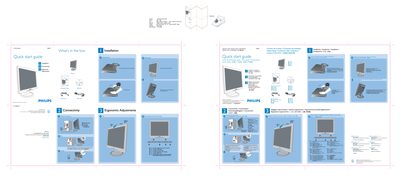
Philips 150S7 LCD Monitor Quick Start Guide


Philips 150S7 LCD Monitor Quick Start Guide - cover page
Brand
Philips
Category
Monitor
Document type
Quick Start Guide
Language
English
Pages
1
File format
PDF
File size
5.9 MB
Published
23 March, 2012
Updated
20 June, 2012
Model
150S7
MD5 checksum
4AFC08D61275019604A1FA9D4DFCC0A2

About this manual

This guide provides step‑by‑step instructions for setting up the Philips 150S7 LCD monitor. It starts with unpacking the box, unfolding the base, and adjusting ergonomic settings such as tilt and height.

The document also details cable management, VGA connection, and the optimal display resolution of 1024 × 768 @ 60 Hz. Online support links and contact information are included for further assistance.

What's inside

  • What's in the box
  • Unfold the base
  • Ergonomic adjustments
  • Cable management
  • Monitor connections
  • Control button reference
  • Online help

Specifications

Physical size594 mm W × 210 mm H
Native resolution1024 × 768 @ 60 Hz

Frequently asked questions

How do I unfold the base of the monitor?

Open the base by following the illustrated steps in the quick start guide.

What display resolution should I use for best performance?

Set the monitor to 1024 × 768 at 60 Hz.

Where can I find online help for this monitor?

Visit the Philips support site at www.p4c.philips.com.

Download PDF (5.9 MB)

More Philips Manuals


View all Philips manuals →