
Key facts
- Brand
- Panasonic
- Model
- WV-CU550CJ
- Category
- Automation control Equipment
- Industry
- Industrial
- Documents
- 2
- Languages
- EN
- Last added
- 2012-08-08
Start here
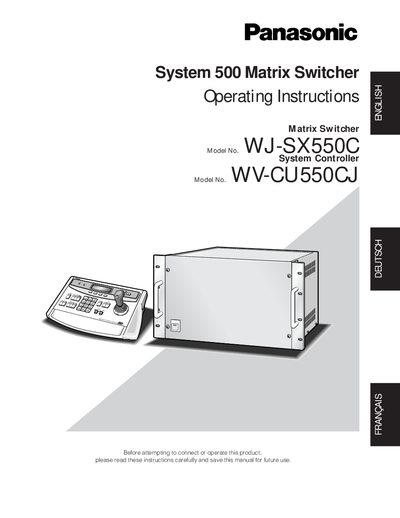
Panasonic WJ-SX550 WV-CU550CJ System 500 Matrix Switcher Operating Instructions Manual
This manual provides step‑by‑step guidance for installing, configuring, and operating the Panasonic System 500 matrix switcher, including the optional system controller and extension unit. It explains hardware connections, software setup, and routine operating procedures.
Safety precautions, wiring details, and troubleshooting tips are included to help users avoid damage and ensure reliable performance of up to 128 cameras and 16 monitors.
Panasonic WV-CU550CJ specifications
| Max Cameras | 128 |
|---|---|
| Max Monitors | 16 |
| Operating Temperature | -10°C to +50 °C |
| Humidity | below 90 % |
| Input Power | 120 V AC 60 Hz |
Source: Panasonic WV-CU550CJ System Controller Operating Instructions
All Panasonic WV-CU550CJ documents by type
Day-to-day operation, settings and troubleshooting. Start here if the product is already set up.
Questions answered in these manuals
What is the maximum number of cameras this controller can manage?
The WV-CU550CJ allows for flexible control of up to 128 cameras.
From: Panasonic WV-CU550CJ System Controller Operating Instructions
Can this controller be used with Panasonic Combination cameras?
Yes, when used with Panasonic's Combination cameras, it can control camera functions such as zoom and focus.
From: Panasonic WV-CU550CJ System Controller Operating Instructions
How many cameras can be connected to the matrix switcher?
The switcher supports up to 128 cameras.
From: Panasonic WJ-SX550 WV-CU550CJ System 500 Matrix Switcher Operating Instructions Manual
What is the required input voltage for the system?
The system operates on 220 V‑240 V AC at 50 Hz.
From: Panasonic WJ-SX550 WV-CU550CJ System 500 Matrix Switcher Operating Instructions Manual