
Key facts
- Brand
- NEC
- Model
- LT20
- Industry
- Electronics
- Documents
- 8
- Languages
- JA · ZH · PT · SV · DE · FR · EN
- Last added
- 2012-05-10
Start here
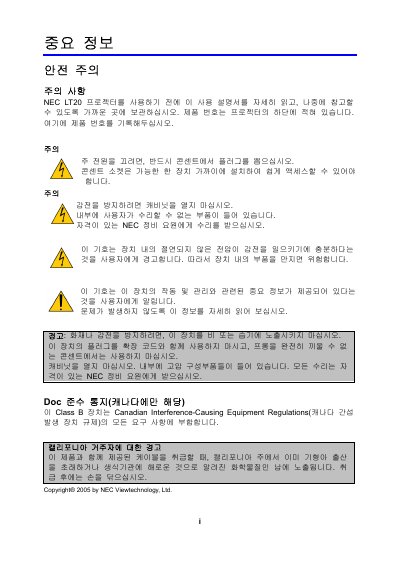
NEC LT20 Projector User Manual
The NEC LT20 is a DLP projector that supports multiple video standards such as True XGA (1024 × 768) and VGA. The manual covers installation, operation, and maintenance procedures, as well as safety warnings and compliance information.
Key specifications include an input voltage range of 100‑240 V AC (50/60 Hz) and a typical projection distance of 1.8 m for VGA mode. The guide also provides troubleshooting tips and service information for technicians. This manual is written in Japanese.
NEC LT20 specifications
| Input voltage | 100‑240 V AC 50/60 Hz |
|---|---|
| Native resolution | True XGA (1024 × 768) |
| Projection distance (VGA) | 1.8 m |
Source: NEC LT20 Projector User Manual
All NEC LT20 documents by type
Day-to-day operation, settings and troubleshooting. Start here if the product is already set up.
Questions answered in these manuals
What is the input voltage range for the NEC LT20 projector?
The projector operates on an input voltage of 100‑240 V AC at 50/60 Hz.
What is the native resolution of the NEC LT20 projector?
Its native resolution is True XGA, which is 1024 × 768 pixels.
How far should the projector be placed from the wall for ventilation?
Leave at least 12 inches (30 cm) between the projector and the wall.
What power voltage does the NEC LT20 accept?
It operates on 100‑240 V AC at 50/60 Hz.
How should I safely turn off the projector?
Unplug the power cord from the electrical outlet before handling the unit.
What clearance is required between the projector and the wall?
Leave at least 30 cm of space between the projector and the wall to ensure proper ventilation.