
Key facts
- Brand
- Motorola
- Model
- CT1
- Category
- Other Electronics
- Industry
- Electronics
- Documents
- 21
- Languages
- EN
- Last added
- 2026-11-20
Start here
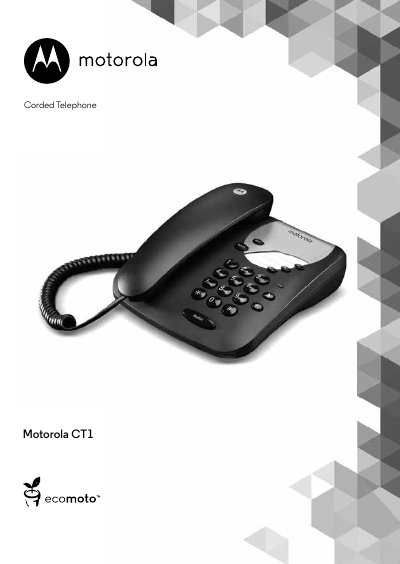
Motorola CT1 Corded Telephone User Guide
The Motorola CT1 is a corded telephone designed for ease of use and space efficiency. It features three direct dial memory keys, ten two-touch memory keys, and a redial function for the last number called.
Read onlineMotorola CT1 specifications
| Direct dial memory keys | 3 |
|---|---|
| Two-touch memory keys | 10 |
| Redial memory capacity | Up to 48 digits |
| Memory number length | Up to 20 digits |
All Motorola CT1 documents by type
Day-to-day operation, settings and troubleshooting. Start here if the product is already set up.
Mounting, wiring and first power-up. Read it before the hardware goes in.
Ratings, dimensions and ordering codes, for selection and design work.
- Motorola MC74AC194/MC74ACT194 4-Bit Bidirectional Universal Shift Register Datasheet 7 p
- Motorola MC74AC175/MC74ACT175 Quad D Flip-Flop Datasheet 6 p
- MOTOROLA MC74AC160/MC74ACT160/MC74AC162/MC74ACT162 handbook 14 p
- Motorola MC74AC158/MC74ACT158 Quad 2-Input Multiplexer Datasheet 6 p
- Motorola MC74AC157/MC74ACT157 Quad 2-Input Multiplexer Datasheet 6 p
- Motorola MC74AC153/MC74ACT153 Dual 4-Input Multiplexer Datasheet 6 p
- Motorola MC74AC151/MC74ACT151 Datasheet 6 p
- Motorola MC74AC14/MC74ACT14 Hex Inverter Schmitt Trigger Datasheet 5 p
- Motorola MC74AC138/MC74ACT138 1-of-8 Decoder Datasheet 7 p
- Motorola MC74AC132/MC74ACT132 Quad 2-Input NAND Schmitt Trigger Datasheet 5 p
- Motorola MC74AC126/MC74ACT126 Quad Buffer Datasheet 5 p
- Motorola MC74AC125/MC74ACT125 Quad Buffer Datasheet 5 p
- Motorola MC74AC113/MC74ACT113 Dual JK Flip-Flop Datasheet 6 p
- Motorola MC74AC112/MC74ACT112 Dual JK Flip-Flop Datasheet 6 p
- Motorola MC74AC11/MC74ACT11 Triple 3-Input AND Gate Datasheet 5 p
- Motorola MC74AC10/MC74ACT10 Triple 3-Input NAND Gate Datasheet 5 p
- Motorola MC74AC109/MC74ACT109 Dual JK Flip-Flop Datasheet 6 p
Questions answered in these manuals
How do I mute the caller on the Motorola CT1?
During a call, press the mute button; the LED will light up to indicate mute is activated. Press it again to resume the call.
How do I redial the last number called?
Pick up the handset and press the redial button.
Where can I get repairs for the DCT1800?
Call the Motorola Repair Facility at 1-800-227-0450 for a Return for Service Authorization (RSA) number before sending the unit.
From: Motorola DCT1800 Digital Consumer Terminal Installation Manual
What are the FCC compliance requirements for this device?
The device must accept any interference received, including interference that may cause undesired operation.
From: Motorola DCT1800 Digital Consumer Terminal Installation Manual
What are the operating modes of the MC74AC194?
The device supports reset, hold, shift left, shift right, and parallel load operations.
From: Motorola MC74AC194/MC74ACT194 4-Bit Bidirectional Universal Shift Register Datasheet
How does the Master Reset function?
A LOW signal on Master Reset overrides all other inputs and forces the outputs LOW.
From: Motorola MC74AC194/MC74ACT194 4-Bit Bidirectional Universal Shift Register Datasheet