
Key facts
- Brand
- Motorola
- Model
- VM482
- Category
- Other Electronics
- Industry
- Electronics
- Documents
- 3
- Languages
- EN
- Last added
- 2026-11-20
Start here
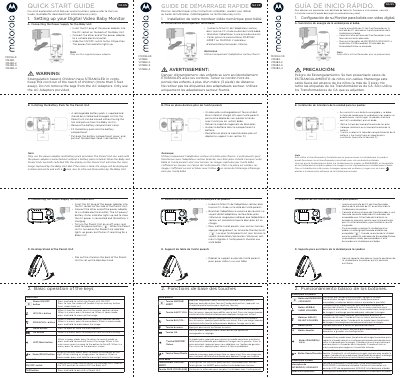
Motorola VM482 Digital Video Baby Monitor Quick Start Guide
The Motorola VM482 Digital Video Baby Monitor Quick Start Guide explains how to set up the Baby Unit and Parent Unit, including connecting the power adapters and installing the rechargeable battery pack. It applies to models VM482, VM482-2, VM482-3, and VM482-4.
The guide also describes basic operation of the Parent Unit controls, such as the power button, volume keys, menu, OK, back, and zoom buttons, as well as the Baby Unit ON/OFF switch and PAIR button.
Motorola VM482 specifications
| Display | 2.4" diagonal TFT LCD |
|---|---|
| Operating Range | 0 °C ~ 45 °C |
| Image Sensor | Color CMOS 0.3M Pixels |
| Battery Life | 5 hours (maximum) |
| Battery Type | 3.7V, 1200mAh Lithium-Ion |
| Input Voltage | 100-240V AC, 50/60Hz |
| Output Voltage | 5.0V DC |
Source: Motorola VM482 Series 2.4" Video Baby Monitor User Guide
All Motorola VM482 documents by type
The shortest path to a working setup, usually only a few pages.
Day-to-day operation, settings and troubleshooting. Start here if the product is already set up.
Questions answered in these manuals
How do I turn the Parent Unit on or off?
Press and hold the power button to switch the Parent Unit on or off.
From: Motorola VM482 Digital Video Baby Monitor Quick Start Guide
What does the Power/Link indicator do when searching for a Baby Unit?
The indicator lights up green when on, but flashes if the Parent Unit is searching for a Baby Unit.
From: Motorola VM482 Digital Video Baby Monitor Quick Start Guide
What is the maximum battery life of the parent unit?
The maximum battery life is 5 hours.
From: Motorola VM482 Series 2.4" Video Baby Monitor User Guide
Can I use extension cords with the AC Adaptors?
No, you should never use extension cords with AC Adaptors.
From: Motorola VM482 Series 2.4" Video Baby Monitor User Guide
Where can I download the full user guide for the VM482ANXL?
The full User Guide with all features and instructions is available for download from motorolanursery.com.
From: Motorola VM482ANXL Digital Video Baby Monitor Quick Start Guide
Can the Parent Unit work without the battery pack installed?
Yes, the Parent Unit can work with the power adapter connected even without a battery pack installed.
From: Motorola VM482ANXL Digital Video Baby Monitor Quick Start Guide