
Key facts
- Brand
- Motorola
- Model
- MC1000
- Category
- Other device
- Documents
- 3
- Languages
- ZH · EN
- Last added
- 2026-10-05
Start here
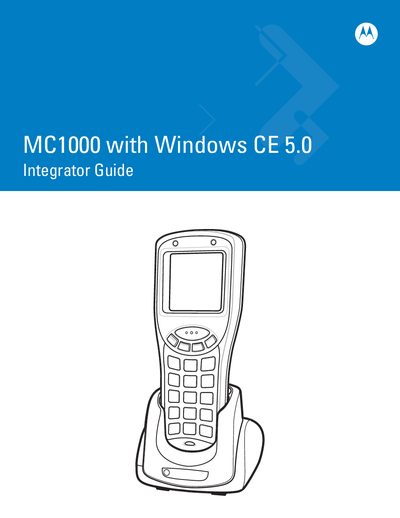
Motorola MC1000 Mobile Computer Integrator Guide
This Integrator Guide covers the MC1000 mobile computer running Windows CE 5.0. It includes safety information, hardware overview, and the required tools for integration. The guide also lists revision history and copyright details.
The manual walks integrators through unpacking, battery installation, accessory connection, and software setup, including ActiveSync configuration and development PC installation steps. Detailed instructions for cradles, USB/Ethernet accessories, and communication interfaces are provided.
Motorola MC1000 specifications
| Processor | Intel XScale 312 MHz |
|---|---|
| Memory | 32 MB RAM / 32 MB ROM |
| Dimensions | 6.42 in H × 2.54 in W × 1.5 in D |
| Weight | 7.23 oz (205 g) with battery |
| Battery options | 3 × AAA batteries or 1 × rechargeable Li‑ion (3.7 V, 1800 mAh) |
| Drop resistance | 4 ft (1.2 m) onto concrete, 500 drops |
| Ingress protection | IP54 |
| Operating temperature | 14 °F to 122 °F (‑10 °C to 50 °C) |
| Scanner supported symbologies | ITF, RSS‑14, Codabar, MSI Plessey, IATA 2‑of‑5, Code 39, Code 93, Code 128, UPC‑A/E, EAN‑13/8, etc. |
Source: Motorola MC1000 Mobile Data Terminal Specification Sheet
All Motorola MC1000 documents by type
Ratings, dimensions and ordering codes, for selection and design work.
Day-to-day operation, settings and troubleshooting. Start here if the product is already set up.
Questions answered in these manuals
What operating system does the MC1000 run?
It runs Microsoft Windows CE 4.2 Core.
From: Motorola MC1000 Mobile Data Terminal Specification Sheet
What power sources can be used with the MC1000?
The device can be powered by three AAA batteries or a rechargeable lithium‑ion battery.
From: Motorola MC1000 Mobile Data Terminal Specification Sheet
How do I install the Li‑ion battery in the MC1000?
Refer to the Li‑ion Battery Installation section (page 1‑3) for step‑by‑step instructions.
How can I set up an ActiveSync connection for the MC1000?
The ActiveSync setup is described in Chapter 3, which explains mobile computer setup and host computer configuration.
How do I install the Li‑ion battery?
Refer to the Li‑ion Battery Installation section (page 1‑4) for step‑by‑step instructions.
How can I adjust the screen contrast?
Use the Adjusting the Screen Contrast procedure described on page 2‑6.